

iPhone Mail shoved emails into the wrong inbox tab? A sender’s priority and importance have been lost on its algorithmic classification? Find out here how to (manually) categorize a sender’s emails in the iPhone Mail inbox ⤓.
On This Page
How to Categorize a Sender’s Emails in the iPhone Mail Inbox
Time needed: 2 minutes
To have iPhone Mail categorize all emails from a specific sender in a particular inbox tab:
- Open an email from the sender.
Inbox only: You can only set up sender categorization from emails that are in the inbox; to categorize a sender with an email from another folder, move it to the inbox first.
- Tap the reply button menu.
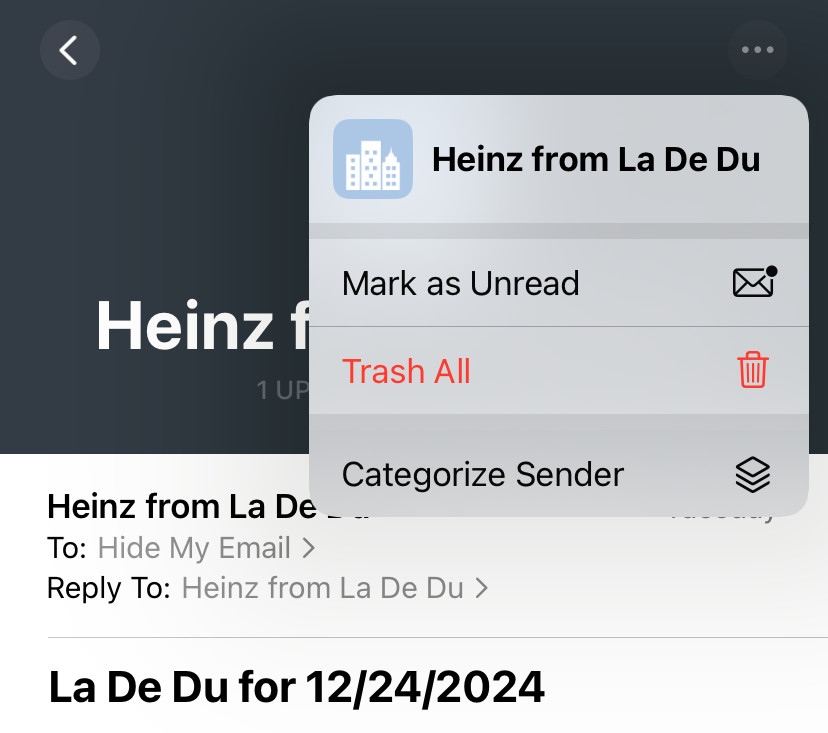
Header alternative: If Mail displays a header section for the sender, you can also tap the three dots menu in that area’s top right corner.
- Select Categorize Sender from the menu.
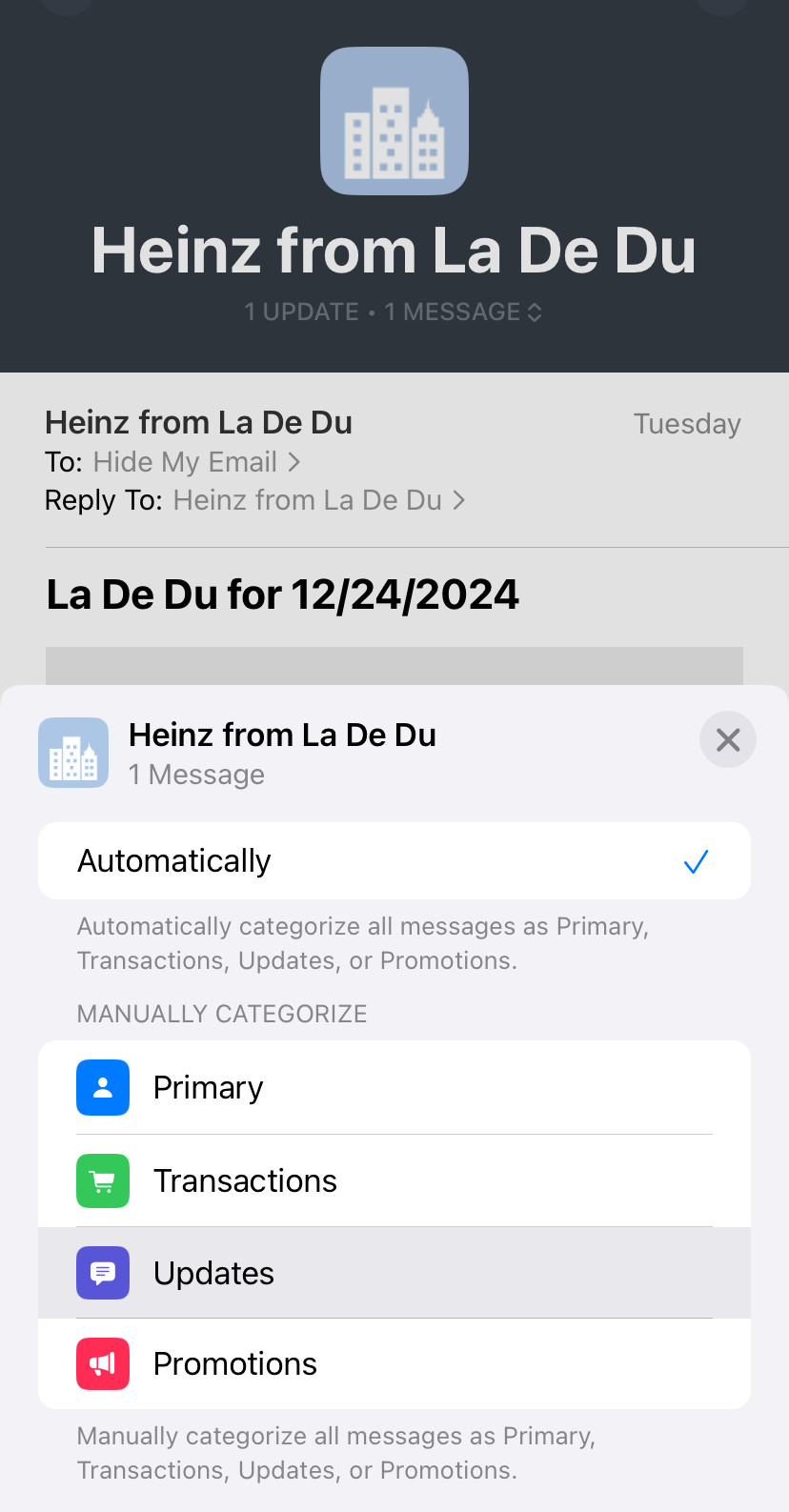
- Choose in what tab you want emails from the sender to appear and tap the category under MANUALLY CATEGORIZE.
How to decide: The Apple Mail inbox categories all have a distinct function, but you do not have to stick to them rigidly, of course.
- Now click Continue.
Their word: Apple include information on using inbox categories in the iPhone User Guide.
Primaries prioritized?
Tips help fuel these email and tech how-tos.
How to Categorize a Sender’s Emails in iPhone Mail: FAQ
Will existing emails be re-categorized?
Yes and no.
Yes, emails in the inbox from the same sender will all be collected in the chosen category. This includes emails previously categorized, of course.
No, emails in other folders (e.g., archived messages) will not move to the inbox category.
Will sender categories synchronize?
Yes.
If you classify a sender in iPhone Mail, their categorization will synchronize with Apple Mail on macOS, Mail on other mobile devices and iCloud Mail on the web using the same account.
Also on the web: How to Classify a Sender for iCloud Mail Inbox Categories
(Tested with iOS 18 and 26; first published January 2025, last updated July 2026)