
Looking to set up a Zoho Mail account in your favorite email program? Is Zoho Mail even compatible with “older” email clients? Find out here how to add an application specific password for accessing your Zoho Mail account ⤓ through POP and IMAP.
First, Coffee Crack
At 196℃ (385℉), coffee becomes popcorn.
That is when “first crack” will happen. Inside a coffee bean that’s roasted, the pressure has increased so much at this point that the shell and hull cannot contain the expanding gases any more.
Like corn in similar conditions, it will emit steam and, well, explode. (Unlike corn, coffee beans witness a second crack at a higher temperature if you continue roasting.)
Now, looking for a way to set up passwords for Zoho Mail that work in any email program — and which you can make pop and explode at any time?
How to Add an Application Specific Password for Accessing Zoho Mail
Time needed: 3 minutes
To create an application-specific password so you can access Zoho Mail from an email program, for example:
- Click the My Profile avatar in Zoho Mail (near the top right corner).
- Select My Account.
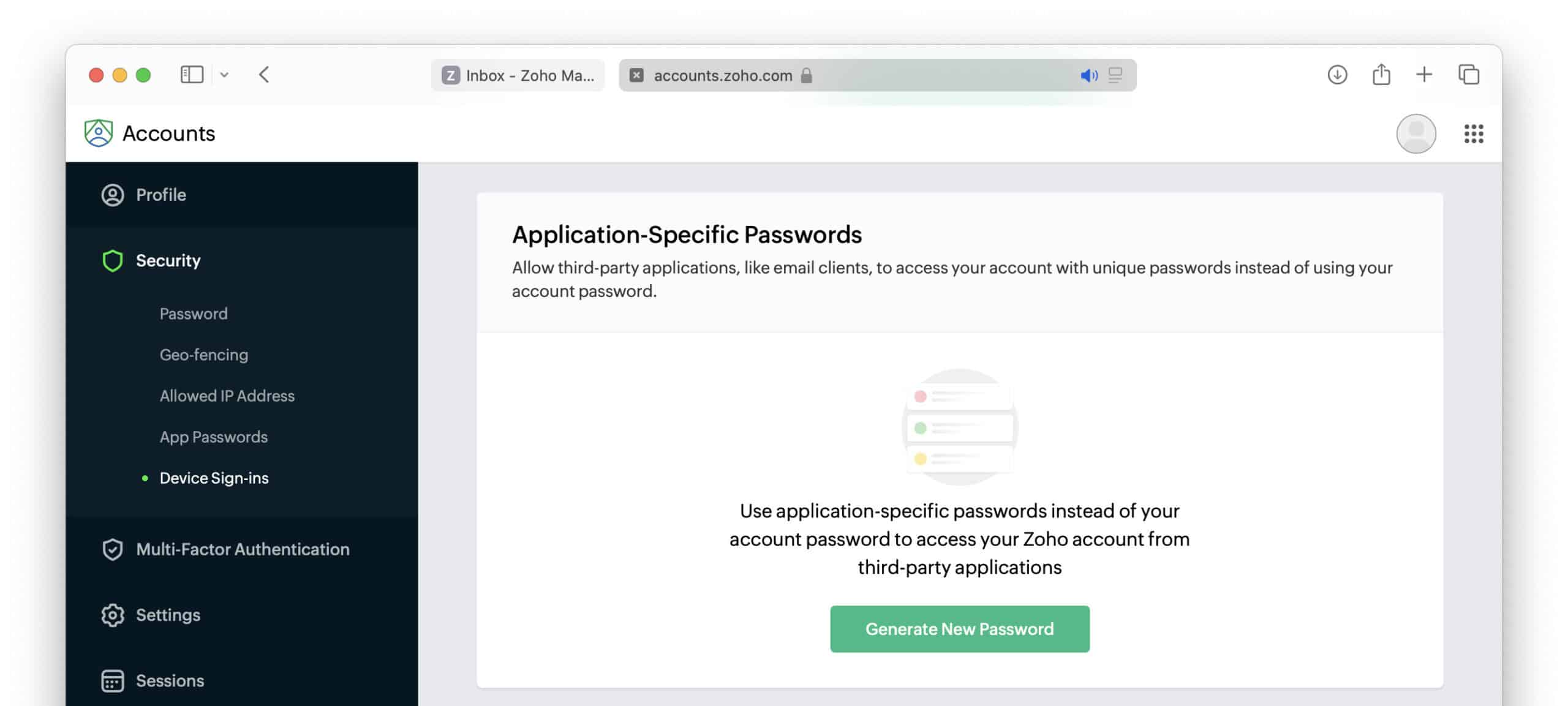
- Go to the Security category.
- Click Generate New Password under Application-Specific Passwords.
- Type. the name of the email program (and perhaps the machine) with which you will access Zoho Mail.
Here’s why: Making the name specific to one particular app lets you disable access for just that application in the future.
- Click Generate.

- Authenticate app password creating using two-factor authentication if you are prompted.
- Enter the password directly into the email program in which you are setting up Zoho Mail.
No going back: This is the only time you can access the password.
- Click Close.
Now that: You can use the password to set up Zoho Mail in an email program using IMAP.
Their word: Zoho include information on application passwords in account help.
One password to rule just one?
Tips help fuel these email and tech how-tos.
Delete an Application Specific Password in Zoho Mail
To remove an app-specific password you have added to Zoho Mail and proven applications using it from accessing your account:
- Go to the Security category in your Zoho Mail account; see above.
- Click the deletion trashcan icon (🗑) for the application password you want to revoke.
- Now click Delete to confirm.
You can delete your regular Zoho Mail password, too:
How to Change Your Zoho Mail Password
How to Add an Application Specific Password for Accessing Zoho Mail: FAQ
I did not copy the application-specific password when I created it. Can I restore it?
No.
You can only see and copy the app password during creation. If you have not used or copied it then, delete then password and create a new one.
Accessing Zoho Mail (in a browser) without a password: How to Access Zoho Mail with Passkey
(First published October 2024, last updated March 2026)