
Got used to typing ## for headings and ** for bold text in other apps? Wish Markdown worked its magic right inside Google Docs — no Ctrl- or Command-key dance needed? Find out here how to type Markdown directly in a Google Docs document ⤓ and format just by typing.
On This Page
How to Type Markdown Directly in Google Docs
⚡ Quick Fix
Go to Tools | Preferences and check Enable Markdown, then type Markdown (e.g., ## for headings and ** for bold text), then press Space right in Google Docs to apply the formatting.
Time needed: 2 minutes
To apply text formatting and structure in a Google Docs document with Markdown markup:
- Turn on Markdown support for Google Docs.
Here’s how: Select Tools | Preferences and check Enable Markdown on the General tab.
- Type in a Google Docs document the text using Markdown formatting.
Here’s what: See below for the Markdown markup you can use in Google Docs.
Example: Type**bold**to insert bold text. - See Google Docs apply the formatting or structure immediately.
Example:
**bold**turns intobold.
Their word: Google include information on Markdown formatting in Docs help.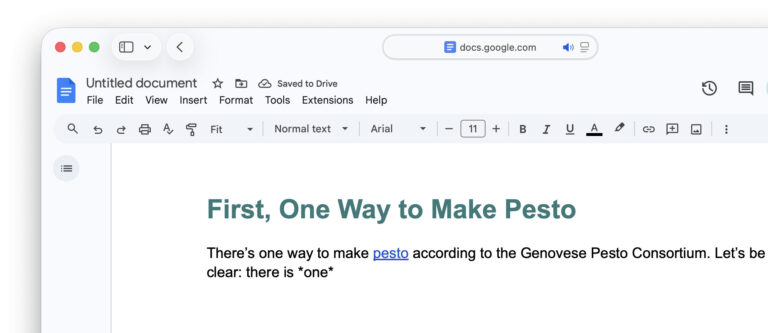
Formatting faster than ever?
Tips help fuel these email and tech how-tos.
How to Type Markdown Directly in Google Docs: FAQ
Which Markdown elements can I use for typing in Google Docs?
Headings
# Heading level 1## Heading level 2
etc.
Emphasis
**bold**__bold__
*italic*_italic_
***bold italic***___bold italic___
~~strikethrough~~
Lists
- Item 1
- Item 2
* Item 1
* Item 2
+ Item 1
+ Item 2
1. Item 1
2. Item 2
Code
`inline code`
Links
[Text](https://ladedu.com)
How can I undo Google Docs applying Markdown formatting?
To remove Markdown formatting automatically applied in Google Docs:
- Press Backspace immediately after Google Docs has replaced the plain text with formatted text.
Undo: You can also select Edit | Undo from the menu or press Ctrl Z (Windows, Linux and ChromeOS) or Command Z (Mac).
For formatting and structure added earlier:
- Highlight the passage and use Google Docs’s formatting tools to undo what Markdown formatting has been applied.
Can I prevent Markdown formatting to be applied?
To stop Google Docs from interpreting Markdown, disable its support in preferences (see above). To prevent Markdown formatting just intermittently, undo its application immediately (see just above).
(Tested with Google Docs; first published April 2026, last updated October 2026)