

Copied something in a hurry, only to forget what it was — and now you’re half-dreading what will be appear when you paste? Suspecting an app is secretly messing with the clipboard? Find out here how to preview and monitor the clipboard on a Mac ⤓ so you can see what’s really on it before you paste.
On This Page
How to Preview and Monitor the Clipboard on a Mac
Using Finder
Time needed: 2 minutes
To get a preview of the macOS clipboard contents (and monitor it changing) on a Mac:
- Go to Finder on the Mac.
Here’s how: Click Finder in the Dock, for instance.
- Select Edit | Show Clipboard from the menu.
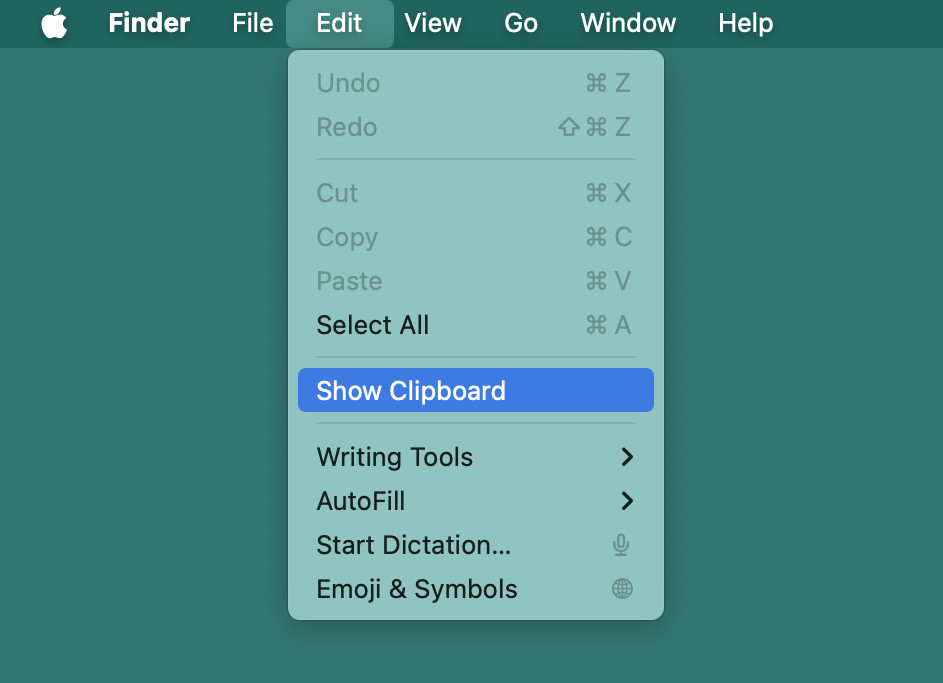
- Monitor the clipboard in the Clipboard window.
What it shows: The window will not display plain text, formatted text and images as they would be pasted.
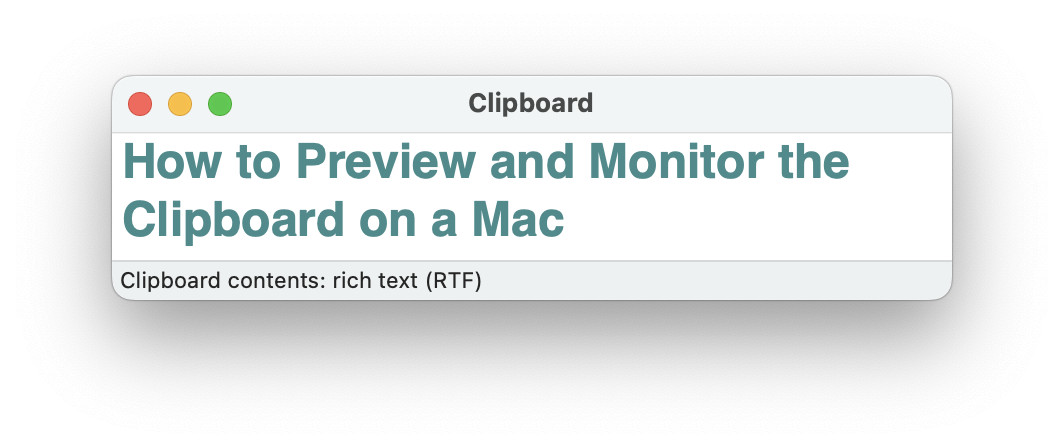
See the clipboard history, too:
How to Use the Built-in Clipboard History on a Mac
Using Terminal to Monitor the Mac Clipboard
To set up a macOS Terminal window to monitor and see the clipboard contents:
- Open a Terminal window.
Here’s how: You can search forterminalin Launchpad, for example. - Type
while :; do clear; pbpaste; sleep 3; done.
Here’s why: This clears the screen, executes the “pbpaste” command (which pastes from the system clipboard to Terminal), waits for 3 seconds and then starts over.
- Press Enter.
What this shows: This will only show the plain text content of the clipboard, updated every 3 seconds.
Enough: To stop monitoring, press Ctrl C.
Clipboard in full view and under control?
Tips help fuel these email and tech how-tos.
How to Preview and Monitor the Clipboard on a Mac: FAQ
Can I see clipboard history in Finder?
No.
Clipboard will always only show the current clipboard contents.
You can install one of a great number of utilities to monitor clipboard changes and keep a clipboard history on a Mac so you can paste the next to last copied image, for instance. Clipboard utilities include (without any recommendations)
(Tested with macOS Tahoe 26.0–26.5 and Sequoia 15.0–15.4; first published October 2024, last updated May 2026)