

Tired of wading through lists or folders to re-open notes you’ve worked on recently? Don’t feel like going through all the steps of setting up smart lists for the few notes you need today? Find out here how to jump straight to your recently used notes in Apple Notes ⤓ on Mac, iPhone and iPad.
On This Page
How to Jump Between Recently Used Notes in Apple Notes
⚡ Quick Fix
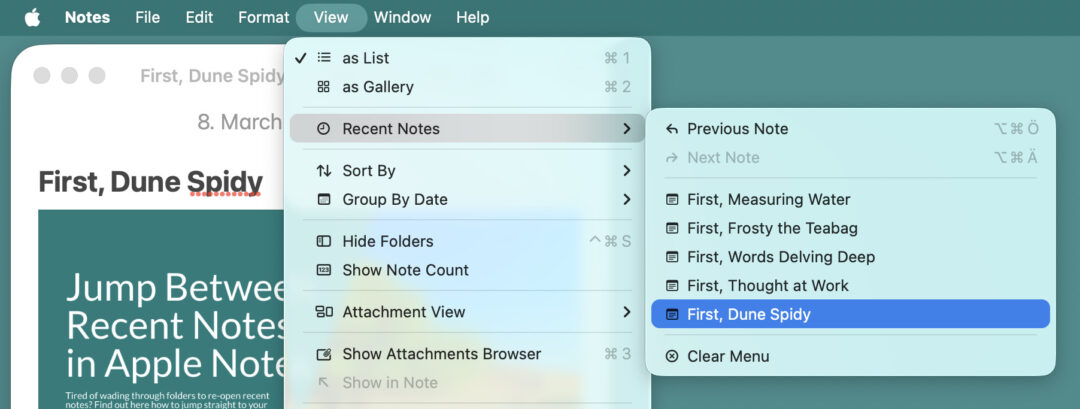
Mac: Select View | Recent Notes in the menu.
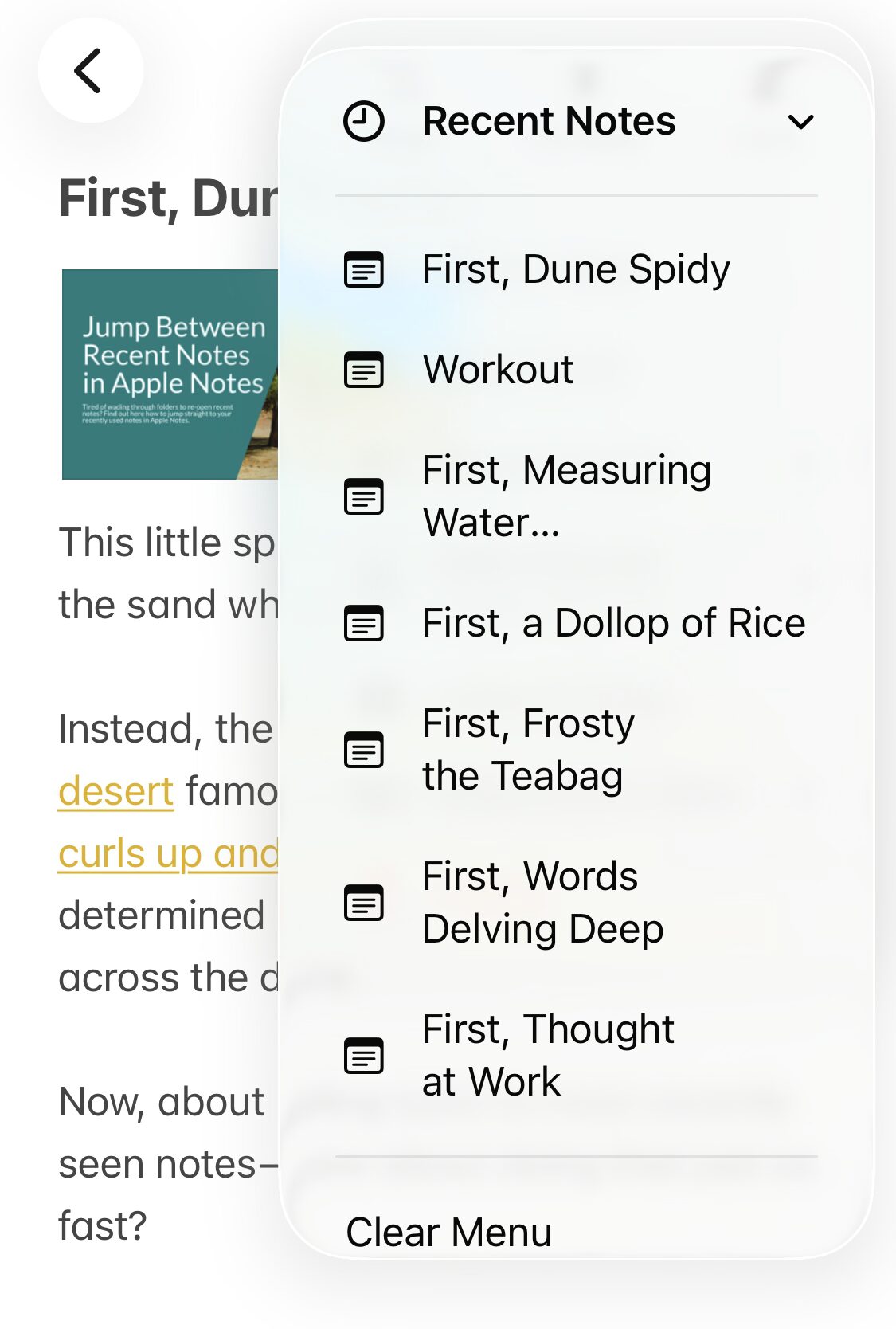
iPhone/iPad: Select View Recent Notes from the three dots menu.
Apple Notes for Mac
Time needed: 1 minute
To quickly open recently visited notes in Apple Notes for macOS on a Mac:
- Focus the main Apple Notes window.
Here’s how: You can select Window | Notes in the menu, for example, or press Command 0 (zero).
Here’s why: Notes will list the notes recently opened in the current window; while this works fine in the main Notes window, notes opened in their own windows will only have themselves in the Recent Notes list.. - Go to View | Recent Notes in the menu.
- Select any of the recently opened notes to open it again.
Notes keyboard shortcuts: Press Command Option ; to go to the previous note (per the sequence you originally opened them) and Command Option ' to open the next note (if you have jumped back using Recent Notes).
Note-hopping now?
Tips help fuel these email and tech how-tos.
Apple Notes for iOS and iPadOS
To revisit a recently opened note in Apple Notes on iPhone or iPad:
- Open any note in Apple Notes.
- Tap the three dots menu button.
- Select Recent Notes.
- Choose from any recently visited note.
Another way to jump between notes: How to Link Notes in Apple Notes
Getting text within notes sorted: How to Structure Text Hierarchically in Apple Notes
How to Jump Between Recently Used Notes in Apple Notes: FAQ
When does a note count as opened for appearing in “Recent Notes”?
Anytime you open a note in Notes itself, it is added to the Recent Notes list. It does not matter whether you view the note in the main Notes menu or in a dedicated window.
If you edit or add to a note from outside Notes (using the Share menu in an app like Safari, for example), it is not added to Recent Notes.
Another type of recency: How to See the Creation and Last Edited Date in Apple Notes
How many notes appear under “Recent Notes”?
Apple Notes keeps up to 10 notes to be accessed quickly under Recent Notes.
When will notes disappear from the list of recent notes?
Apple Notes will drop the 11ᵗʰ most recently visited note from the list of recent notes.
On macOS, the recently visited notes list clears with every time Notes is closed.
Clear the List of Recently Opened Notes
To remove all notes from the Recent Notes list:
- Select View | Recent Notes | Clear Menu from the menu on a Mac;
- Choose Clear Menu in the three dots Recent Notes list on iOS and iPadOS.
Can I clear an individual note from the list?
No.
You can clear the whole list and re-visit the notes you wish to be in the list of recent notes.
Are recent notes available in Apple Notes on iCloud.com?
No.
in Notes at iCloud.com, you can resort to opening Notes in multiple tabs or windows to open a number of notes and quickly jump between them.
(Tested with Apple Notes 4 on macOS Tahoe 26 and Apple Notes on iOS 26; first published March 2026, last updated September 2026)