

Struggling to make your footnotes, chemical formulae or “mademoiselles” look right with small floating letters? Find out here how to insert superscript letters and numbers in Google Docs ⤓ or apply superscript formatting to any character.
On This Page
How to Insert Superscript Characters in Google Docs
⚡ Quick Fix
Highlight the character or characters and press Ctrl . (Windows and Linux) or Command . (Mac).
Alternatively, select Format | Text | Superscript from the menu.
Use Superscript Formatting for Any Character in Google Docs in a Browser
Time needed: 1 minute
To turn any character into a superscript in a Google Docs document:
- Highlight the character or characters you want to render superscript.
- Select Format | Text | Superscript from the menu.
Google Docs keyboard shortcut: You can also press Ctrl . (Windows and Linux) or Command . (Mac) to toggle superscript formatting.
Their word: Google include information on using keyboard shortcuts for formatting in Docs help.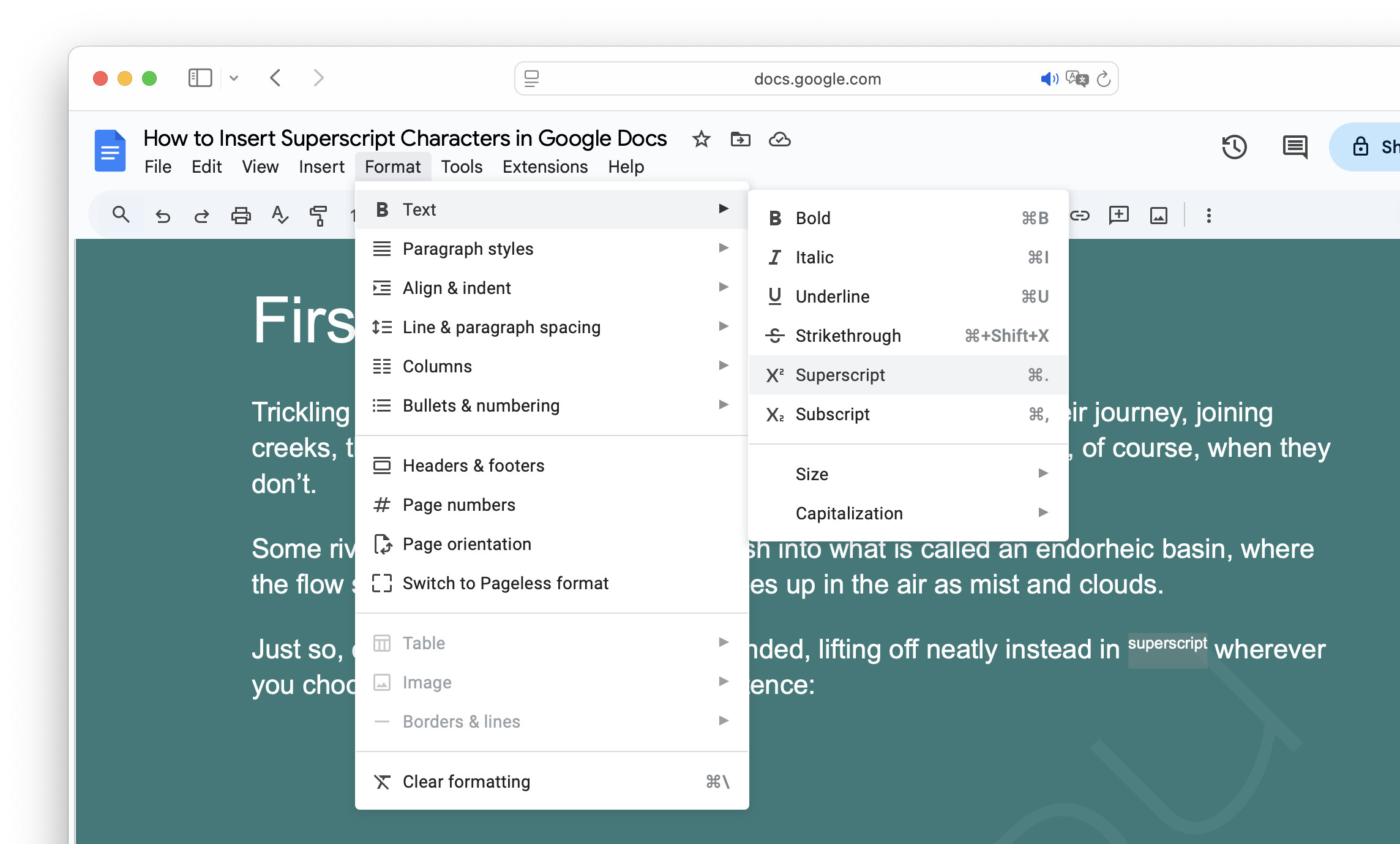
Superscripts now soaring high?
Tips help fuel these email and tech how-tos.
Insert Unicode Superscript Letters in Google Docs in a Browser
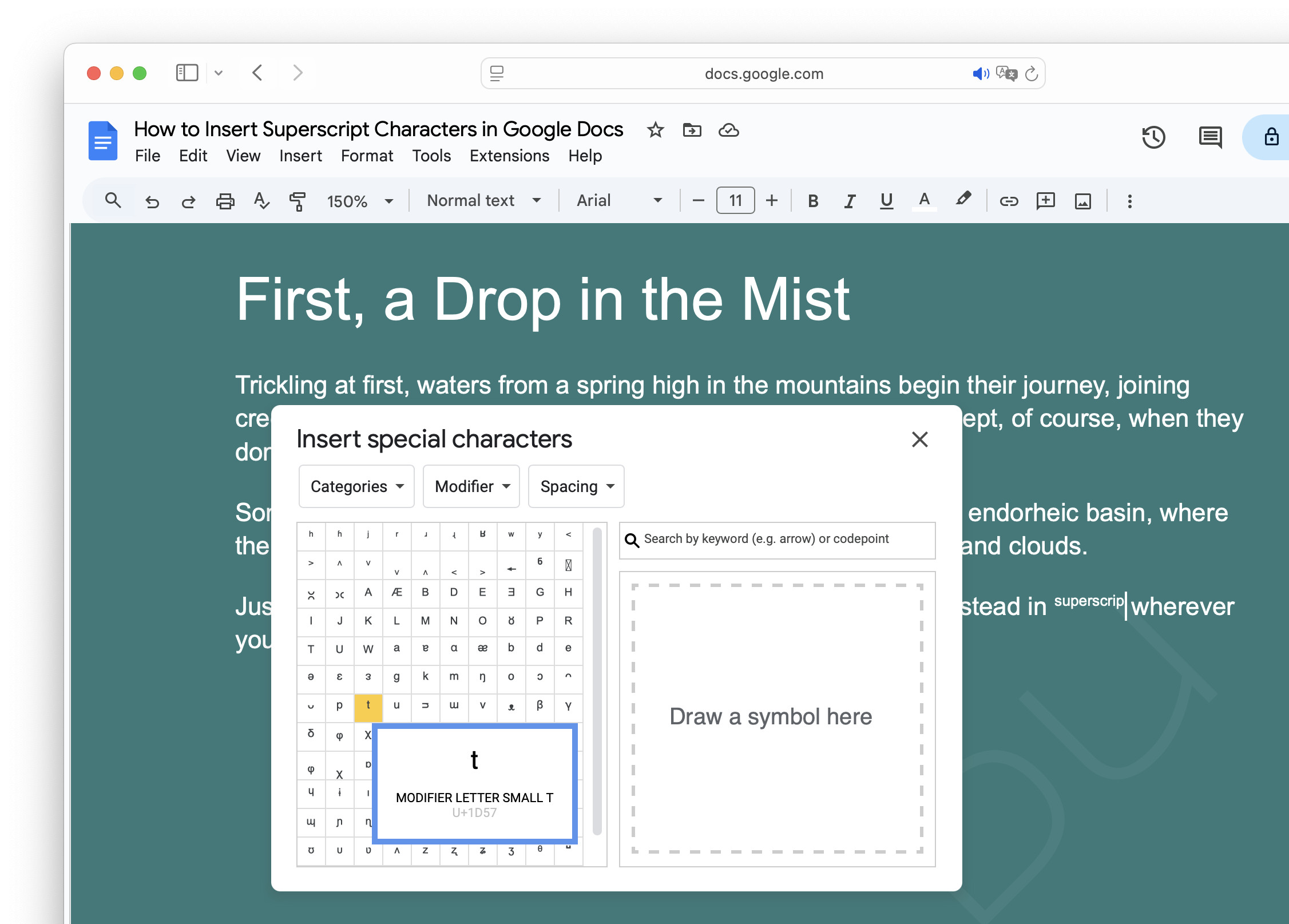
To input a Unicode superscript (“modifier”) letter in a document with Google Docs:
- Position the text cursor where you want to input the superscript character.
Why Unicode: Unlike Google Docs superscript formatting, Unicode superscripts are distinct characters that won’t lose their superscript appearance when formatting changes or when you paste text into other apps.
Example: Position the cursor after31to make it an ordinal number. - Select Insert | Symbols | Special Characters from the menu.
- Choose Categories.
- Pick Modifier and Spacing.
Search: You can also typemodifierin the Search by keyword or codepoint field to discover Unicode superscript letters.
Superscript ‘s’: The superscript s (ˢ) is best found using search (typingmodifier letter small s). - Click any superscript character to insert it.
Other word processors:
How to Make Superscript Characters in MS Word
How to Insert Superscript Characters in Apple Pages
Make Characters Superscript in the Google Docs App
⚡ Quick Fix
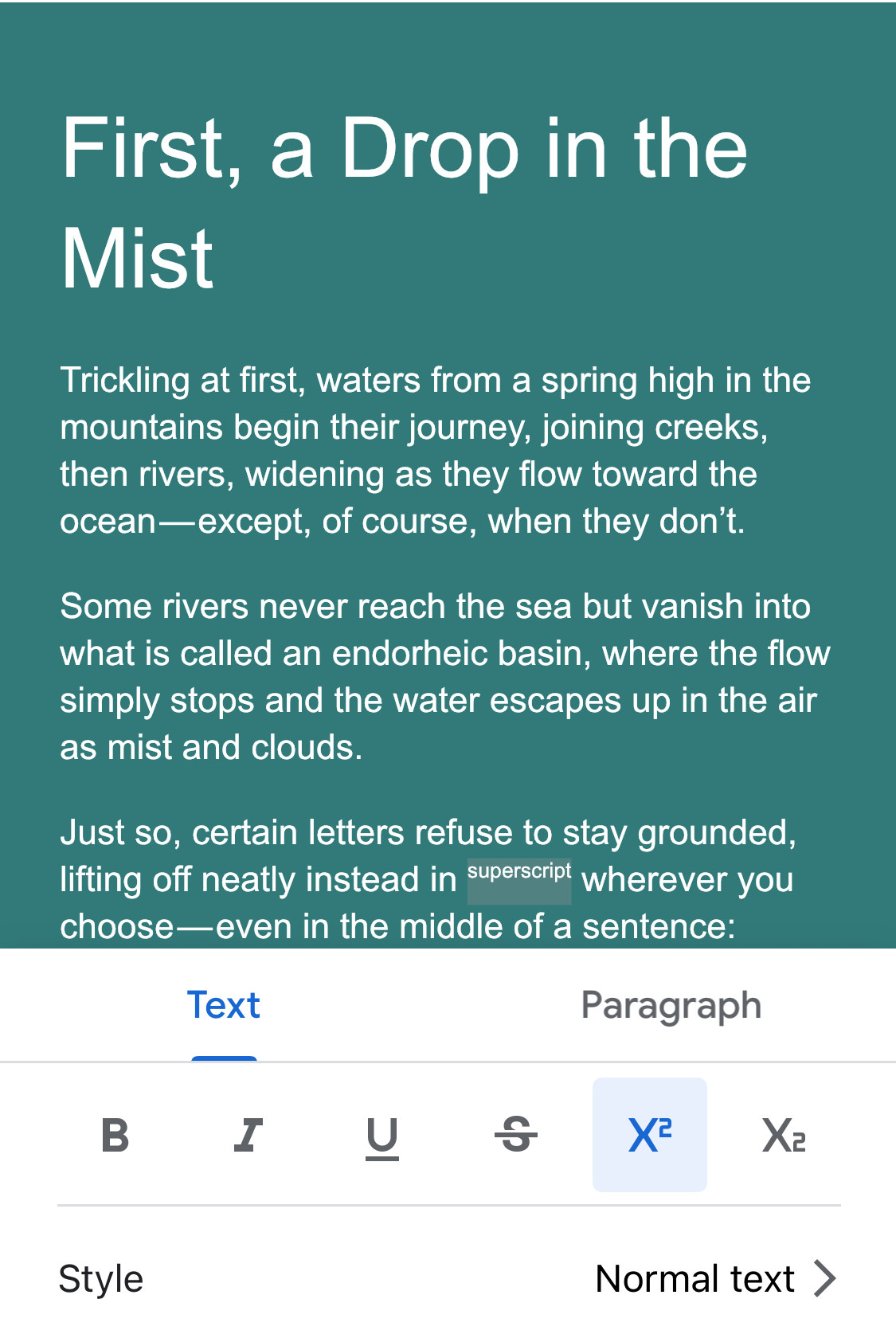
Highlight the character, tap the formatting button, go to Text and tap X².
To make any character superscripted in the Google Docs app for iOS or Android:
- Highlight the characters you want to render superscript.
- Tap the formatting button in the top toolbar.
- Go to the Text tab.
- Tap the X² superscript button.
How to Insert Superscript Characters in Google Docs: FAQ
Can I adjust the formatting of superscript letters in Google Docs?
No.
If you apply superscript formatting, the relative size and baseline shift are fixed. Google Docs offers no way to pick the baseline shift separately.
Can I insert superscript Unicode letters using the operating system in Google Docs?
Yes.
You can use the operating system’s method of inserting superscript characters, of course, in Google Docs:
How to Insert Superscript Letters on Linux
How to Input Superscript Letters on a Mac
How to Insert Superscript Letters on Windows
(Tested with Google Docs in a desktop browser; first published September 2025, last updated October 2026)