

Looking to write f′ on Linux or indicate minute, second, feet and inches marks without having to copy symbols? You can, right from your keyboard. Find out here how to input a prime sign ( ′ ) or arc minute symbol ( ″ ) on Linux ⤓.
On This Page
How to Input a Prime Sign ( ′ ) on Linux
Using a Character Picker
Time needed: 2 minutes
To insert a prime sign (also used as foot and inch marks or minute and second symbols) on Linux using a GUI character picker:
- Position the text cursor where you want to input the prime sign (or foot or minute mark).
Here’s where: The prime signs follow the letter or number they modify directly — as a prime sign in mathematics, or as an indicator of minutes or feet; the same applies to multiple prime signs and the inch or second symbols.
- Open Characters (Gnome) or KCharSelect (KDE).
- Type
primein the search field. - Copy the desired prime character to the clipboard from search results.
Gnome Characters: Click the Prime, Double Prime, Triple Prime or Quadruple Prime character, then click Dopy Character.
KCharSelect: Double-click the PRIME, DOUBLE PRIME, TRIPLE PRIME or QUADRUPLE PRIME character so it appears in the text field below search results, then click To Clipboard.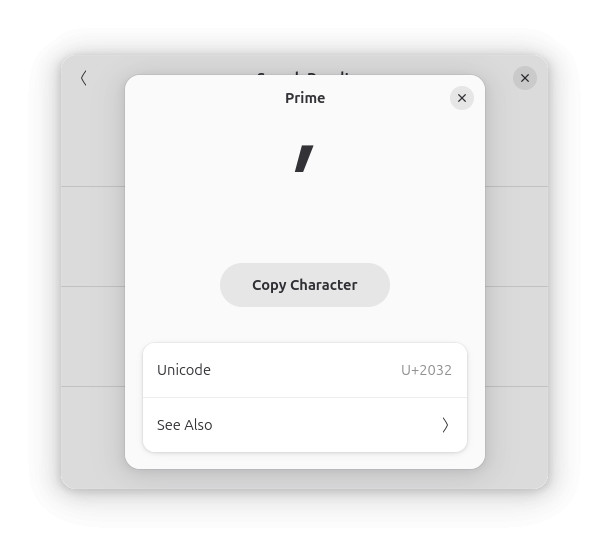
- Back in text entry, press Ctrl V to paste the prime character.
Example: I measured v′ after 15″.
Primed for minute data?
Tips help fuel these email and tech how-tos.
Using Direct Linux Unicode Input for the Prime Sign
To use Unicode code points for inserting the various prime signs directly on Linux:
- Put the text cursor where you want to insert the prime symbol.
- Press Ctrl Shift U.
- Type
-2032for ′
-2033for ″
-2034for ‴
-2057for ⁗. - Now press Enter or Space.
Here’s what happens:u2032(for the prime sign) will be replaced with the symbol ′ itself.
On a Mac terminal? How to Insert the Minute Symbol ( ′ ) on a Mac
Copy the Prime Signs for Pasting on Linux
You can copy the prime signs for use anywhere on Linux from the table below:
prime, minute or foot ′ | |
double prime, second or inch ″ | |
triple prime ‴ | |
quadruple prime ⁗ |
How to Input a Prime Sign ( ′ ) on Linux: FAQ
Can I insert the prime sign using the Linux “Compose” key?
Alas, no.
There is no key combination that will let you input any of the prime signs directly using the Compose key on Linux.
(Tested with Gnome 48–50 and KDE Plasma 6; first published April 2025, last updated September 2026)