

Looking to archive emails for the long term? Migrating to a different email provider? You do not have to download emails one by one from Zoho Mail or set up access in an email program to download emails in bulk. Find out here how to export full email folders from Zoho Mail ⤓ as EML files.
First, Drive Out Nature with a Pitchfork
Drive out nature with a pitchfork as you may, yet still she will return,
wrote the ancient Roman poet Horace in a literary epistle famously, naturam expelles furca, tamen usque recurret.
Why would he write that? In this letter, Horace praises country life over that in the city. Influenced by Epicurean philosophy, the poet’s ideal life was the quiet, unperturbed one in a country garden.
So, it is fortuitous that nature finds its way, and urban civilization is a feeble, misguided attempt to deny it.
Now that this often (and with varied meanings) useful quote has some context, how about downloading emails, too, in the context of their folders on Zoho Mail?
How to Export Email Folders from Zoho Mail as EML
Time needed: 15 minutes
To export emails in bulk from a folder as EML files in Zoho Mail:
- Select the Settings gear icon in the Zoho Mail sidebar.
No “Settings”: If you do not see Settings (and no sidebar), click the < knob towards the lower right corner of Zoho Mail to reveal the sidebar.
- Go to Import/Export Emails in settings.
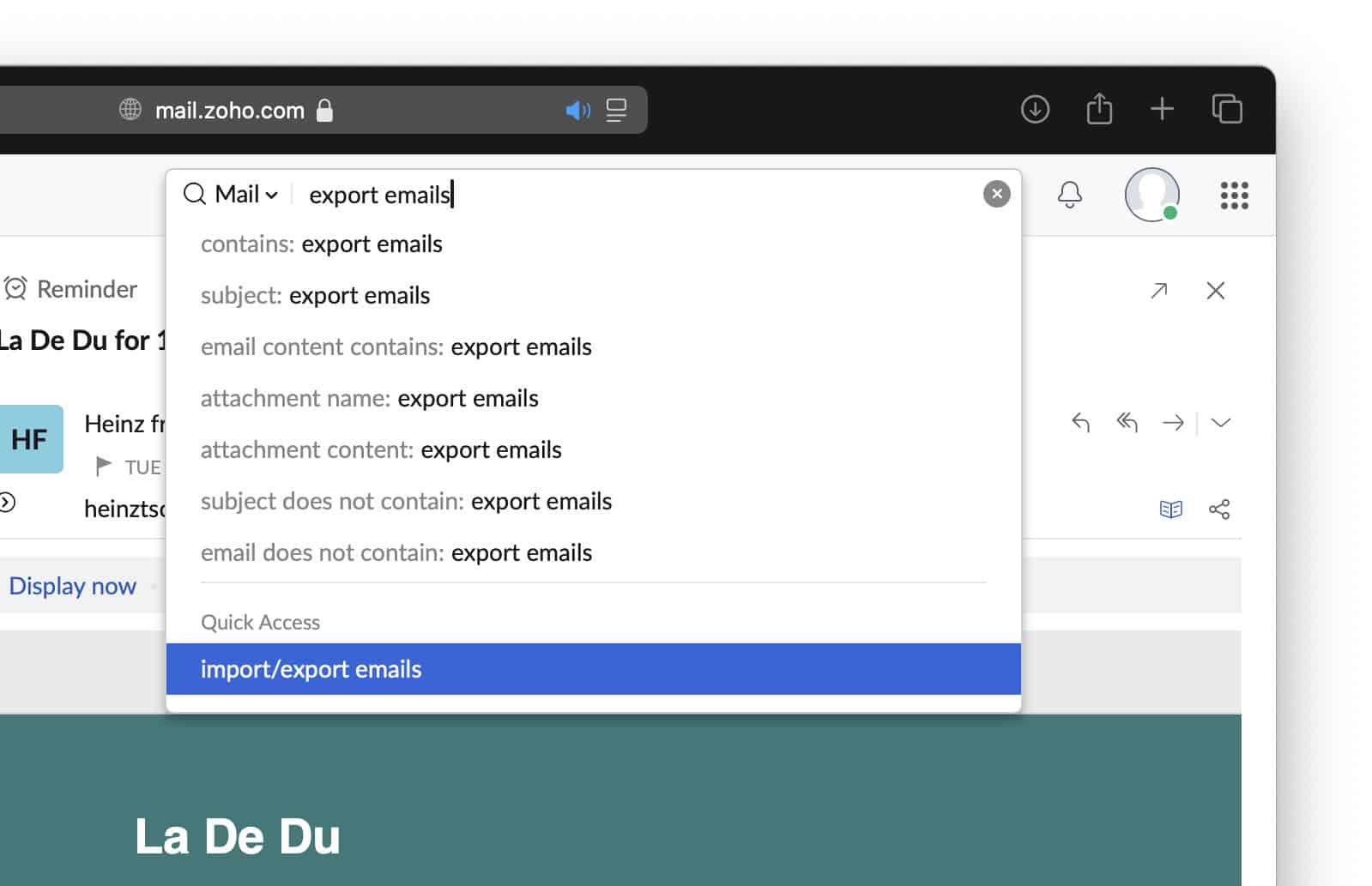
Zoho Mail shortcut: You can also start typing export emails in the search field and select import/export emails under Quick Access.
- Select Export.
- Click Select folder and pick the Zoho Mail folder whose messages you want to export.
- Now click Export date and choose a time limit on the emails you want to include in the export.
Download all: To export all emails in a folder, select Export all emails in the folder.
Just archived emails: Check Export archive email(s) alone to export only messages that have been archived. - Click Export.

- Open the email from Zoho Mail in the Inbox folder about “Zoho Mail Export details”.
Wait for it: Depending on the number and size of the emails in the folder exporting might take a while.
- Follow the show zip links link.
- Click the download icon for the ZIP file you want to download.

- Expand the downloaded ZIP file to access the emails, one EML file per message.
Their word: Zoho include information on exporting emails in Mail help.
Folder finally freed?
Tips help fuel these email and tech how-tos.
Alternative: In lieu of downloading emails by folder, you can also set up IMAP or POP access to a Zoho Mail account in a desktop email program and export the messages from there.
See more about an email right in Zoho Mail on the web:
How to View the Full Email Header in Zoho Mail
How to Export Email Folders from Zoho Mail as EML: FAQ
Can I export more than one folder at a time?
No.
Zoho Mail lets you download messages from one folder (and, optionally, all folders in it) at a time.
Can I also save individual emails as EML files?
Yes.
Zoho Mail also lets you download each message as an EML file individually.
(Tested in a desktop browser; first published October 2024, last updated March 2026)