

Did iCloud Mail suddenly start organizing messages into categories? Find that automatic sorting more confusing hindrance than helpful convenience? If you prefer a classic and straightforward inbox, you can have it. Find out here how to disable or hide inbox categories in iCloud Mail ⤓ and return to sane and simple email experience.
On This Page
How to Disable or Hide Inbox Categories in iCloud Mail at iCloud.com
Disable Inbox Categories Altogether
Time needed: 2 minutes
To disable automatic classification of emails into inbox categories for your account in iCloud Mail at iCloud.com:
- Click the Settings gear icon (⚙) in iCloud Mail.
Here’s where: You can find the gear icon above the list of folders on the left.
No folder list: If you do not see the folder list, click the Show Mailboxes button next to the search field.
Disabling vs. hiding: Disabling turns off automatic classification off altogether while hiding categories keeps the automatic sorting but shows one combined inbox; see below. - Select Settings in the menu.
- Go to the Categories section
- Click Turn off Categorization.
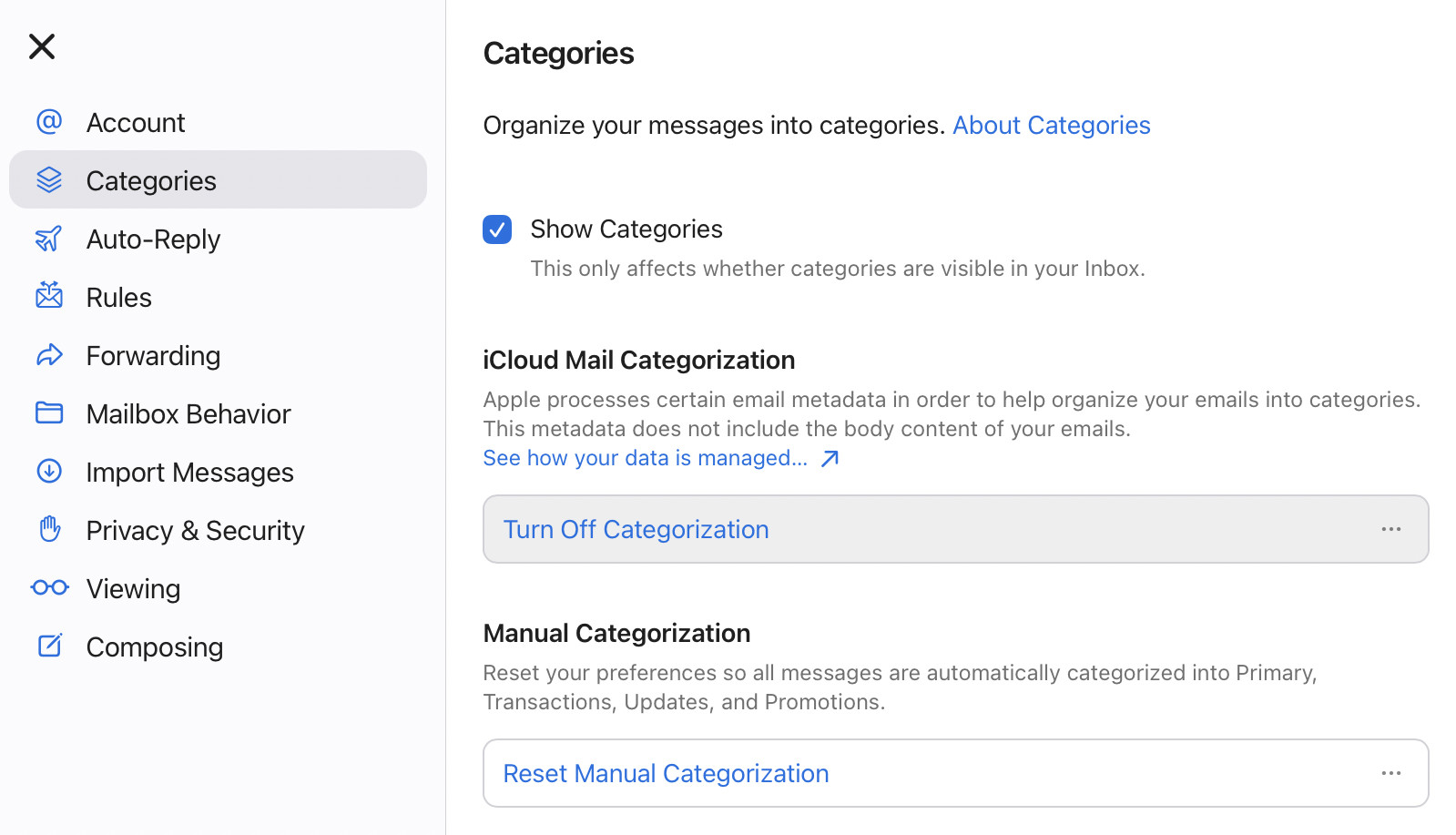
- Click Turn Off Categorization again.
Their word: Apple include information on inbox categories in the iCloud User Manual.
Back to inbox sanity (or just normal inbox insanity)?
Tips help fuel these email and tech how-tos.
Hide Inbox Categories in iCloud Mail
To hide inbox categories and see all messages sorted chronologically in the single inbox with iCloud Mail at iCloud.com:
- Click the Settings gear icon (⚙); see above.
- Choose Hide Categories from the menu.
Unhide: While inbox categories are still enabled, select Show Categories in the menu to display categories again.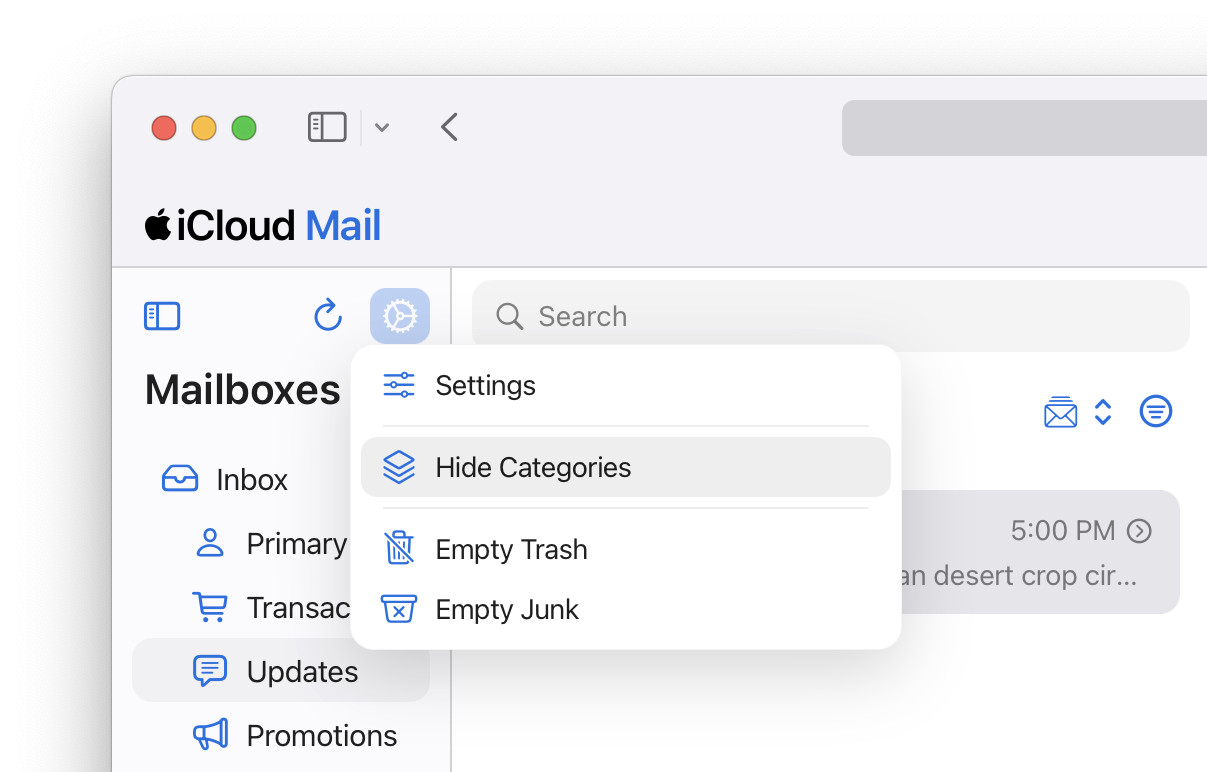
If you’re already navigating the iCloud Mail settings, you can also hide inbox categories under Categories by disabling Show Categories.
Wrong category? How to Classify a Sender for iCloud Mail Inbox Categories
How to Disable or Hide Inbox Categories in iCloud Mail at iCloud.com: FAQ
Does turning off categories delete or move emails?
No.
Categorization only affect how messages are organized inside the inbox.
Will hiding or disabling inbox categories in iCloud Mail also turn off the feature in Apple Mal for Mac, iPhone or iPad?
No.
Even with inbox categories disabled or hidden in iCloud Mail on iCloud.com, Apple Mail for iPhone, iPad and Mac can still sort emails into categories locally on the device if you enable categorization in the app.
On that iPhone? How to See All Mail with iPhone Mail Priority Inbox
Can I pick the categories that are shown?
No.
You can enable all inbox categories in iCloud Mail — or none.
(First published May 2025, last updated September 2026)