

Worried you might set up a call crossing time zones to happen at 3 a.m. — again? Planning a bucket-list train treck across continents but dread the hassle of converting everything to your local time zone? You need not worry or do the math; let your Mac do the clockwork instead. Find out here how to add an event in a different time zone in Apple Calendar for Mac ⤓.
On This Page
How to Add an Event in a Different Time Zone in Apple Calendar for Mac
Time needed: 2 minutes
To add an event on Apple Calendar on a Mac using a specific time zone (different from the one used for Calendar overall):
- Turn on time zone support in Apple Calendar for macOS.
Here’s how: You can turn on time zone support in Apple Calendar setting’s Advanced settings tab.
- Create a new event.
Here’s how: Go to the desired date, select the calendar for the event and use dragging and dropping to insert the event in the current time zone for Apple Calendar.
Using quick event: You can also use quick event, of course, and add the desired time zone immediately (see below) or in the next step. - Click the current starting time to expand the time and alert section in the event’s details.
- Click the current time zone under time zone:.
- Select a recently used time zone or choose Other… to add a new one.
New time zone: Search by country or (preferably) by city name, select the desired city and click OK.
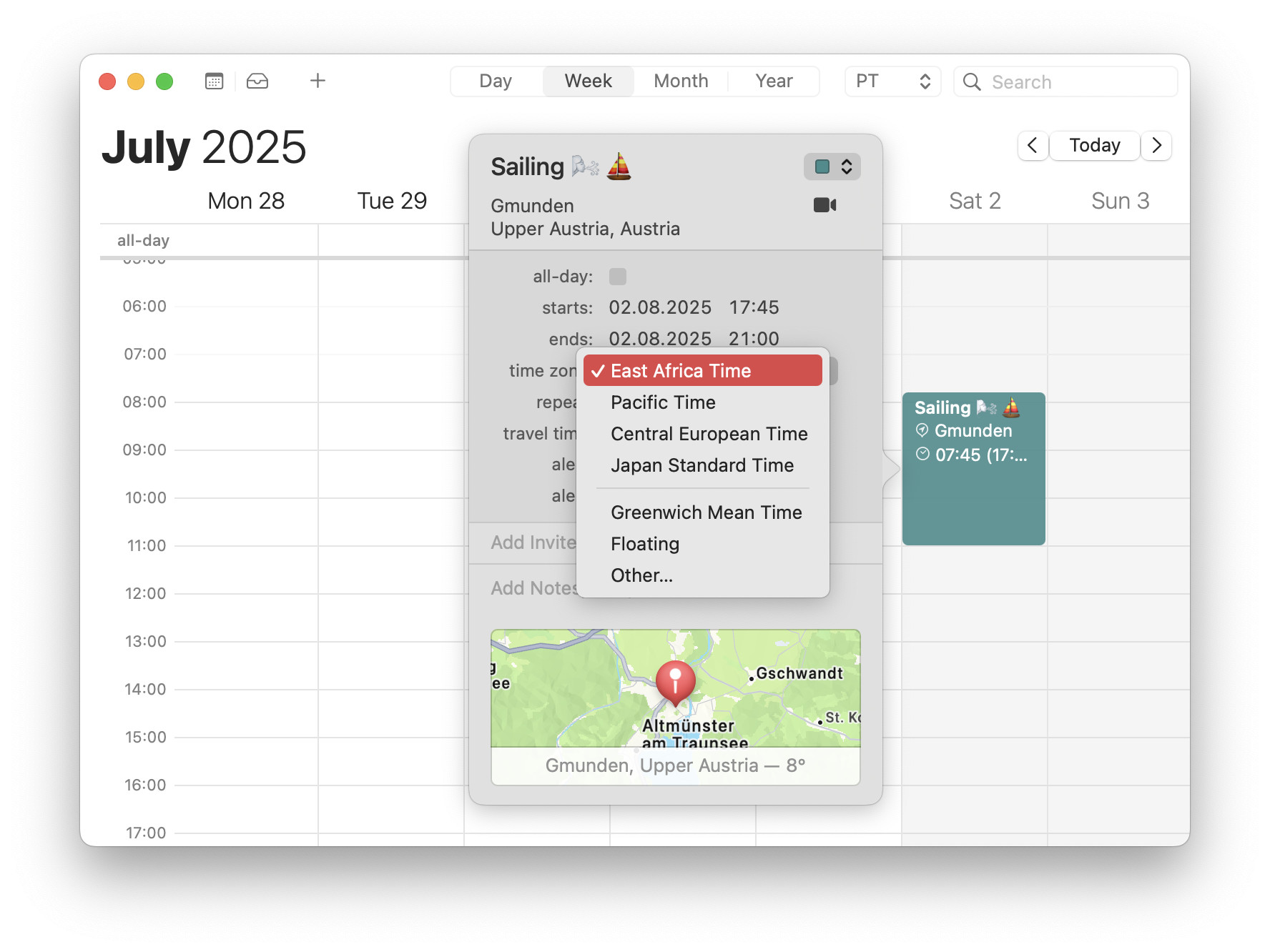
- Adjust the time under starts: and ends: to the chosen time zone.
It moved: Note that Apple Calendar will have moved the event to match the initial time in the new time zone.
Their word: Apple include information on time zone support in the Calendar User Guide.
Swimming pacific time?
Tips help fuel these email and tech how-tos.
Edit an Existing Event’s Time Zone in Apple Calendar
To change the time zone for an event in Apple Calendar:
- Double-click the event to access its details.
- Click the time section to expand it.
- Now click the current time zone under Time Zone:.
- Choose from recently used time zones or pick Other… to select a new one.
Here’s what happens: The event automatically moves in correspondence; you will see it in the calendar converted to its time zone.
How to Add an Event in a Different Time Zone in Apple Calendar for Mac: FAQ
Can I set the time zone when adding an event using quick event?
Yes.
You can add a time zone right to a new event’s time in the quick event entry field using a mixture of formats.
To specify the time zone for a time when adding an event in Apple Calendar using quick event:
- Add a signifier for the time zone separated with white space directly following the time.
What works: Apple Calendar recognizes some time zone abbreviations (IST,CET,BT,…), some country names (such asJapan), and some cities (e.g.,London)
U.S. time zones: For U.S. time zones, you can use the first word of the time zone name (Eastern,Pacific,Hawaiian,…) or the abbreviation.
What always works: You can always use the time zone offset from UTC usingUTC+andUTC-.
Example:Ballooning 17:20 PSTadds an event using Pacific Standard Time.
Can I have an event with no time zone — taking place at the same local time no matter the time zone?
Yes.
You can create events that “move” with you as you travel and time zones change using the Floating time zone in Apple Calendar for Mac.
(Tested with Apple Calendar 15–16 on macOS Tahoe 26 and Sequoia 15; first published September 2025, last updated July 2026)