

Tired of some note suddenly taking over your screen just because you moved your mouse to the wrong place? You’ve tried ignoring the pop-ups, but they keep coming back? Find out here how to stop Quick Notes from popping up unwanted on your Mac ⤓ for good.
On This Page
How to Stop Quick Notes from Popping Up Unwanted on a Mac
Disable Hot Corners to Prevent the Mouse from Triggering “Quick Note”
Time needed: 2 minutes
To prevent Quick Notes from popping up (e.e., from the lower right corner) on a Mac using macOS:
- Open System Settings on your Mac.
Here’s how: Select the Apple logo in the menu bar, for example, then choose System Settings… from the menu.
- Go to the Desktop & Dock category.
- Click Hot Corners….
Here’s where: The button is at the very bottom.
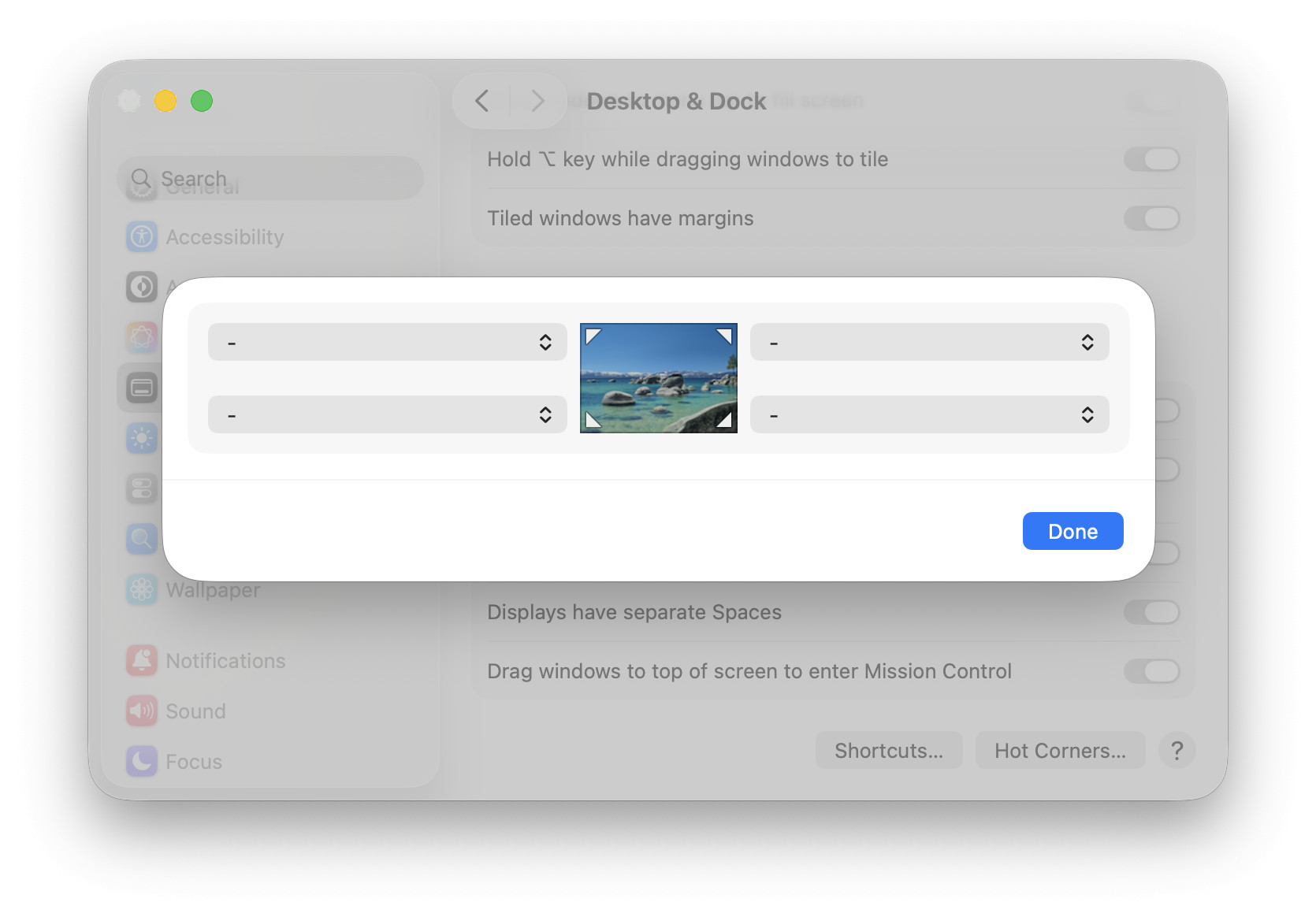
- Select - (no action) for the bottom right screen corner.
Other corners: The bottom right is the default for Quick Note, but the action can be assigned to any corner.
Other actions: Choose any other action but Quick Note, of course, to trigger that when you move the mouse cursor to that corner.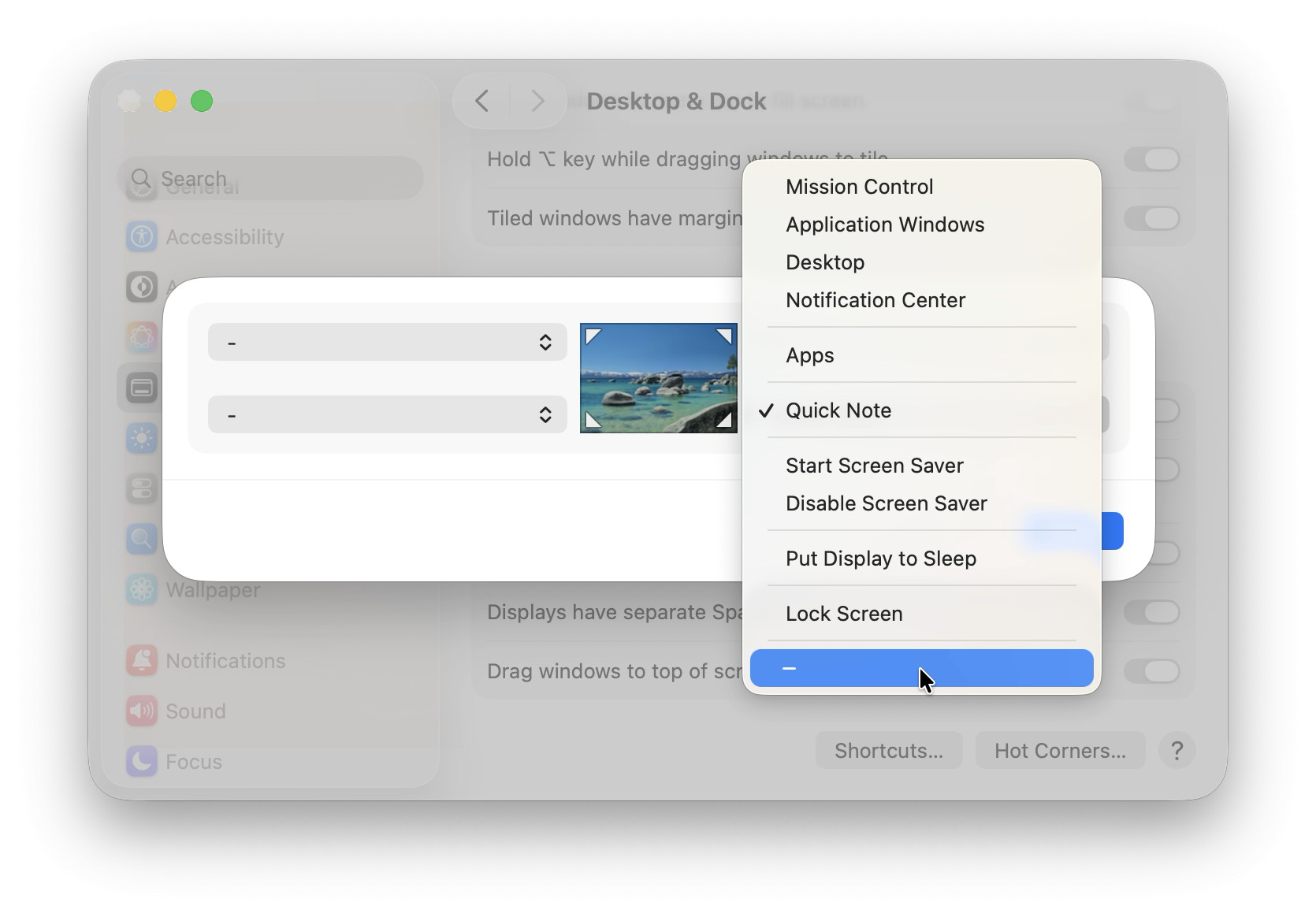
- Click Done.
Their word: Apple include information on Hot Corners in the Mac User Guide.
Showed your Mac the cold corner?
Tips help fuel these email and tech how-tos.
Disable the Quick Note Keyboard Shortcut on a Mac
To disable the system-wide keyboard shortcut for bring up Quick Note on macOS:
- Open System Settings; see above.
- Go to the Keyboard category.
- Click Keyboard Shortcuts….
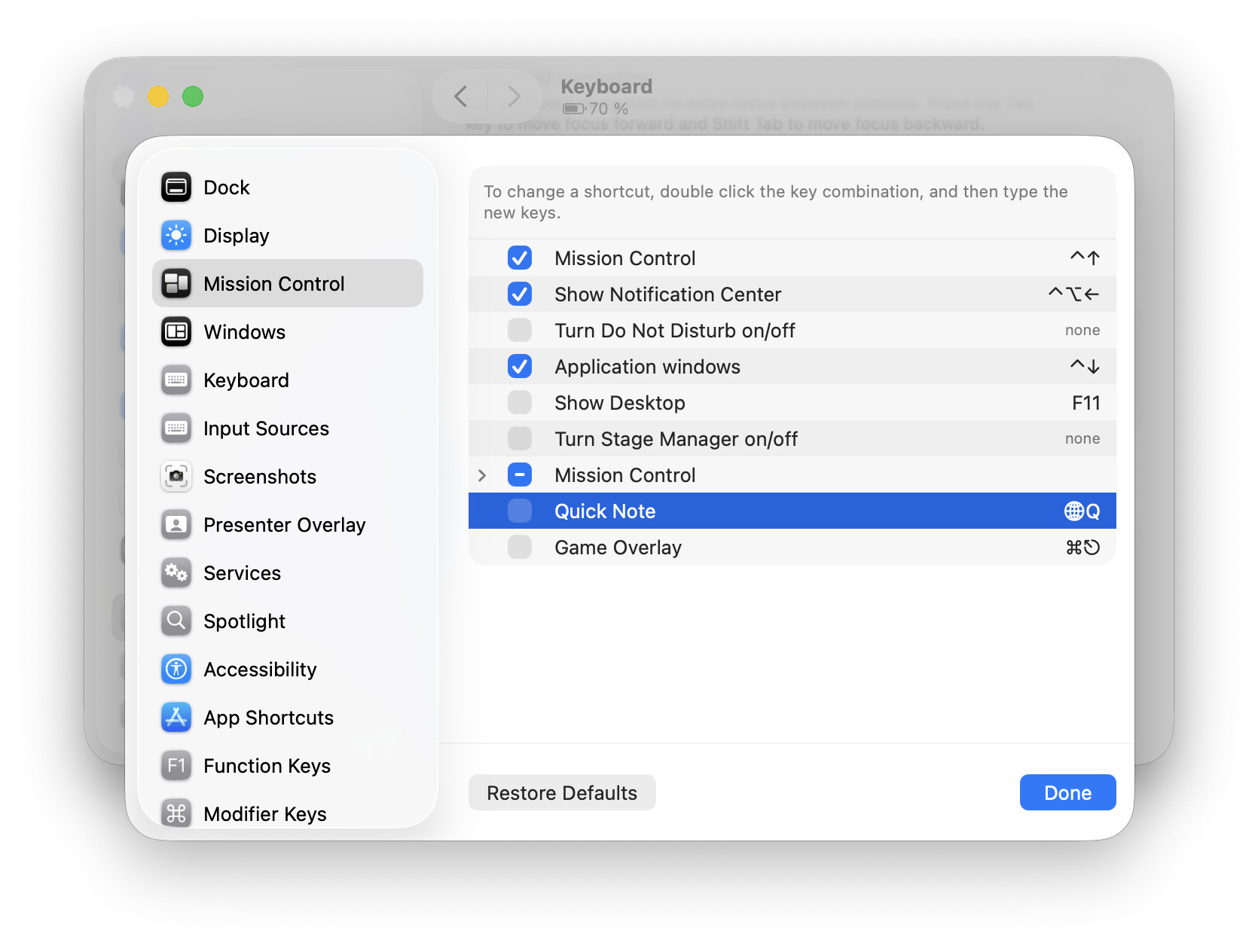
- Open the Mission Control category.
- Turn off Quick Note.
Default: The default keyboard shortcut for adding a quick note is Globe Q.
Other shortcut: You can also double-click the existing shortcut to pick your own alternative key combination for quick notes, of course. - Click Done.
How to Stop Quick Notes from Popping Up Unwanted on a Mac: FAQ
Do I lose existing quick notes when the shortcuts are disabled?
No.
You can still access all your quick notes in the Quick Notes folder in Apple Notes.
Can I still create new quick notes with the Quick Note shortcuts disabled?
Yes.
You can always open the Quick Notes folder in Notes and create a new note in it or use the Quick Note control in Control Center.
(Tested with macOS Tahoe 26; first published February 2026, last updated July 2026)