

Struggling to find the emails that keep gobbling up all storage in your Proton Mail account? Wish to locate the emails with attachments and clear space? Find out here how to sort email in Proton Mail by size ⤓ — fast and without fuss.
On This Page
How to Sort Proton Mail by Size
Time needed: 1 minute
To sort messages by size in Proton Mail (and find large attachments, for instance):
- Open the folder whose emails you want to sort in Proton Mail.
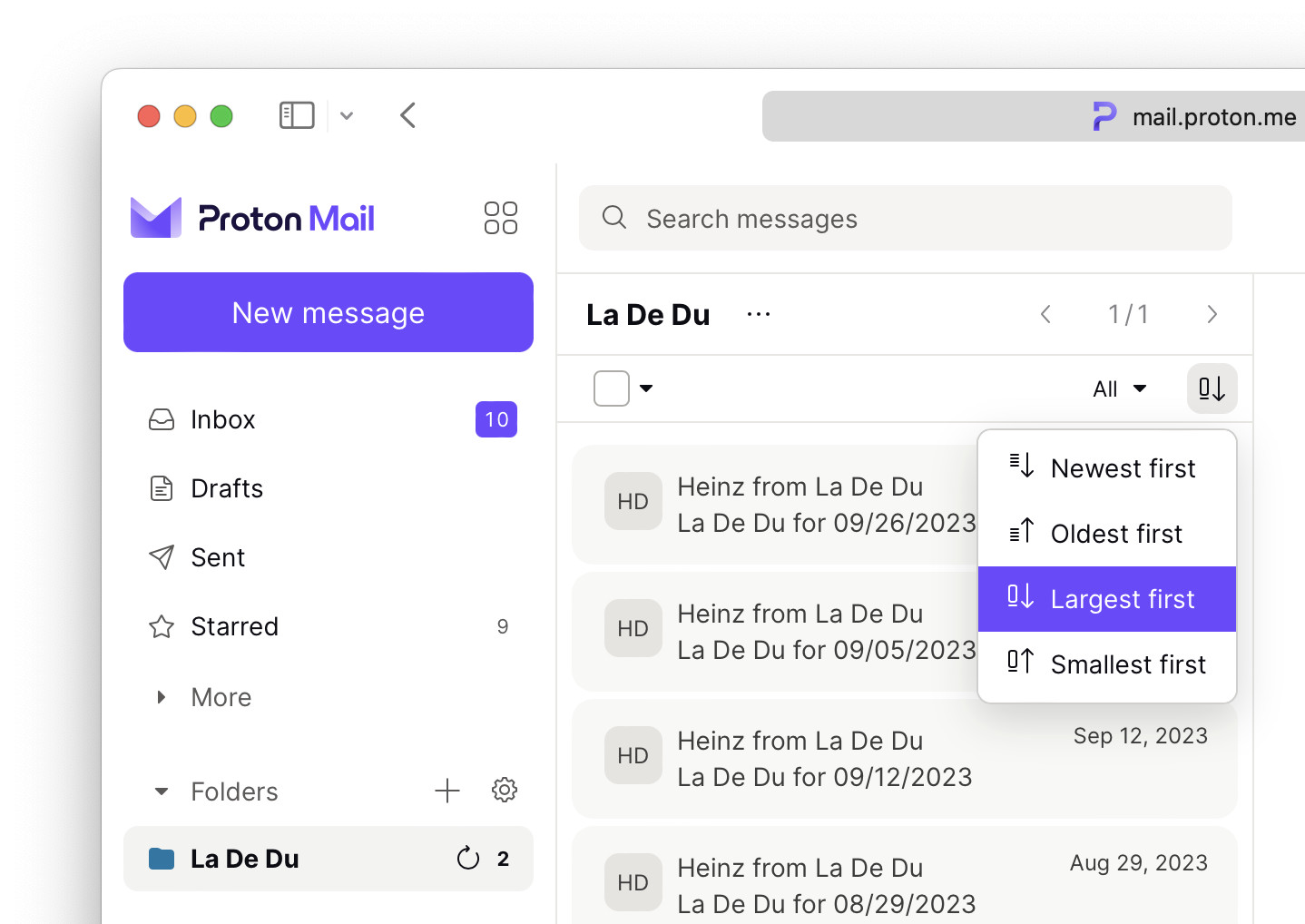
- Click the Sort conversations button in the folder’s toolbar.
Row or column: The button appears atop the message list in both Row and Column layouts.
- Select Largest first to sort the folder by decreasing size.
Smallest on top: Select Smallest first, of course, to reverse the sorting order.
Proton > electron?
Tips help fuel these email and tech how-tos.
How to Sort Proton Mail by Size: FAQ
Can I find the biggest messages in my Proton Mail account?
Yes.
To find the largest messages in your Proton Mail account:
- Open the All mail folder.
Here’s how: Click More in the folder list, then pick All mail. - Sort the folder by size (see above).
“Trash” and “Spam”: The All mail folder does not include messages in Trash and Spam. To find large messages in these folders, open them separately. (You can also empty Spam and Trash swiftly in Proton Mail.)
Can Proton Mail show the message size in message lists?
No.
Proton Mail lets you sort folders by size, but does not display the message sizes in either row or column display.
Where can I see the message size?
To find the size for an individual email in Proton Mail:
- Open the message whose size you wish to examine.
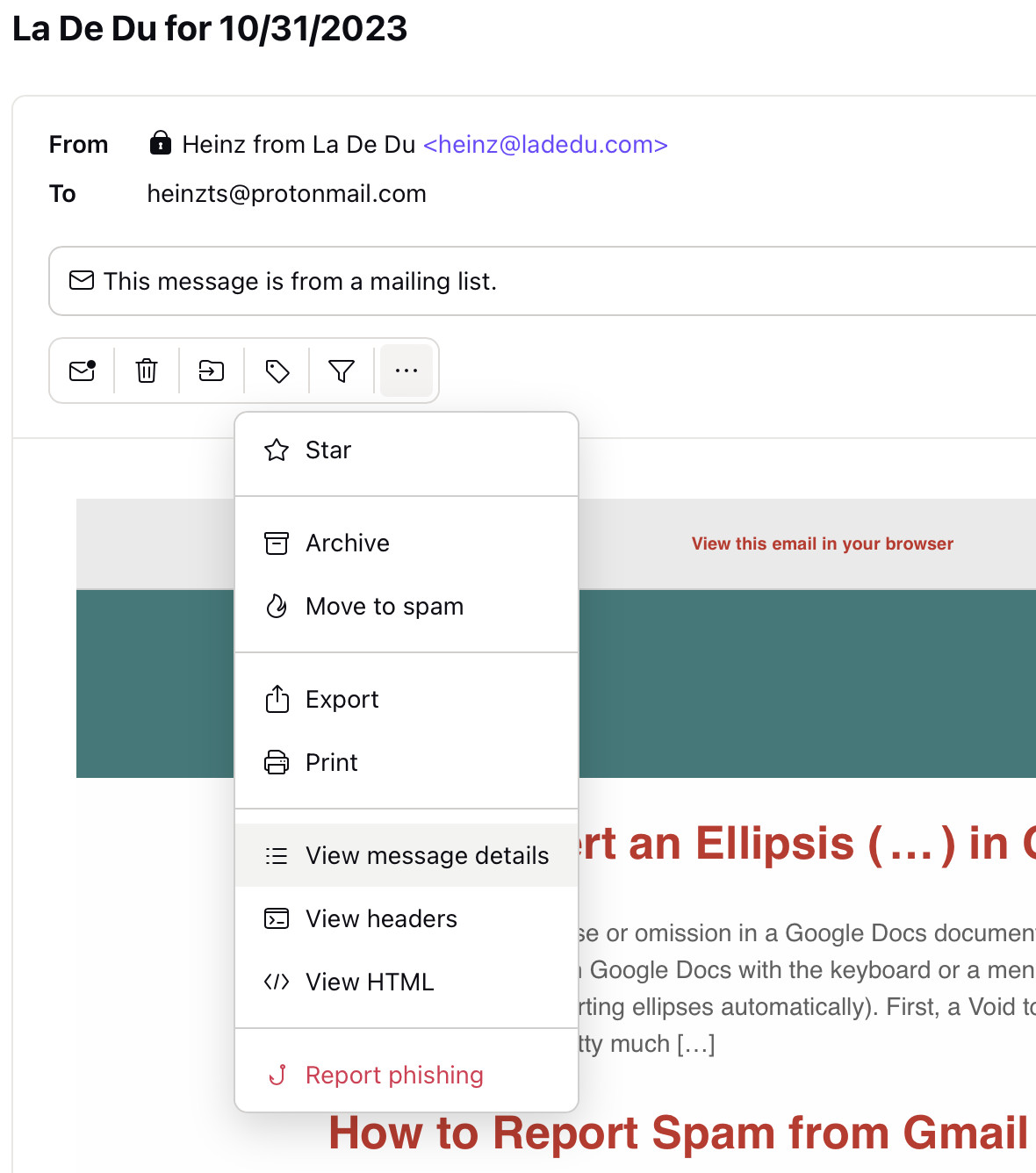
- Click the three dots More button (⋯) in the message header.
- Select View message details from the menu that has appeared.
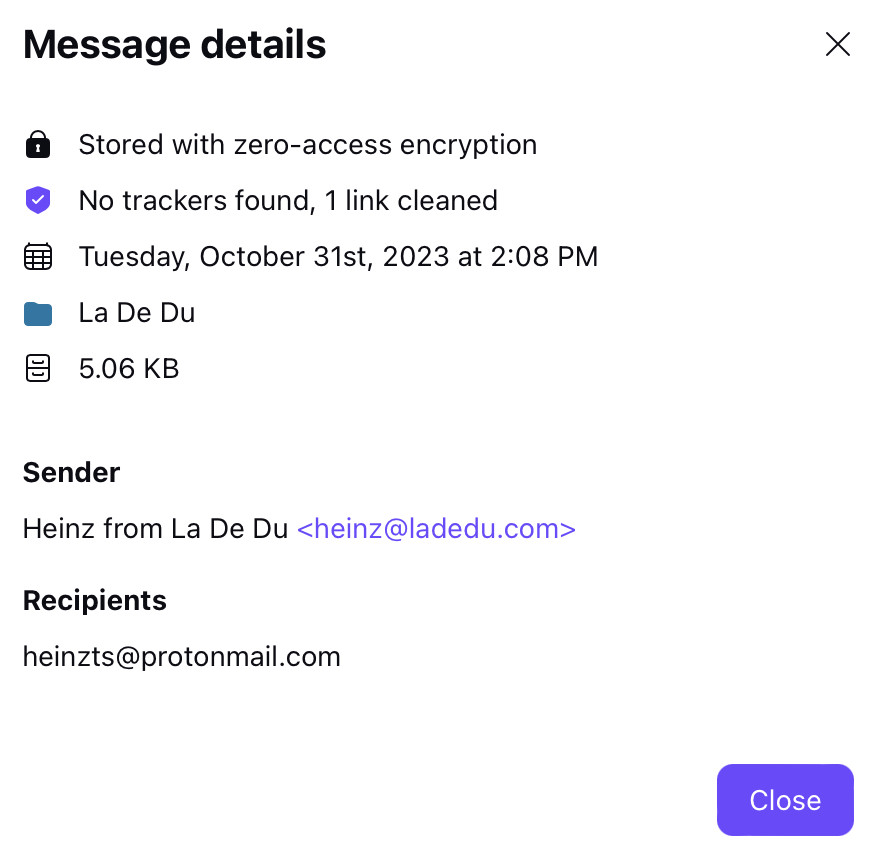
- Find the message size under Message details.
- Click Close.
Can I sort in the Proton Mail app?
No.
While you cannot change the sorting order in the Proton Mail apps for iOS and Android, you can open Proton Mail in a mobile browser and sort the messages there.
Can I sort by size if I access Proton Mail using Proton Bridge, e.g. in Outlook?
Yes.
Proton Bridge makes available all email data via IMAP, so you can use your email program’s tools to sort or filter messages by size, for example in New Outlook.
(Tested in a desktop and a mobile browser; first published November 2023, last updated June 2026)