

Tired of typing “care of” the long way in addresses? Looking to save space and add polish in one go? Find out here how to insert the symbol for “care of” or “c/o”( ℅ ) on a Mac ⤓.
On This Page
How to Insert the “Care of” Symbol ( ℅ ) on a Mac
Using Character Viewer
Time needed: 2 minutes
To insert the “care of” symbol ( ℅ ) on a Mac, e.g., when addressing a letter in Pages:
- Position the text cursor where you want to insert the symbol for “care of”.
Here’s when: You can use ‘℅’ when you want to reach somebody through somebody else when you do not know their address or when they are currently located away from their usual address, e.g., to send a letter to someone who resides at a hotel, or to reach an acquaintance through their employer’s address.
Here’s where: The symbol ‘℅’ is placed before the regular recipient at the address; think of it as “at the address of” and see below for a full usage example. - Open the Mac emoji panel or Character Viewer.
Here’s how: You can select Edit | Emoji & Symbols from the menu, for instance.
- Type
care ofin the search field.Character Viewer or emoji panel: Searching, finding and inserting the care of symbol works in both the emoji pane and Character Viewer.
- Double-click ℅ (CARE OF) in search results.
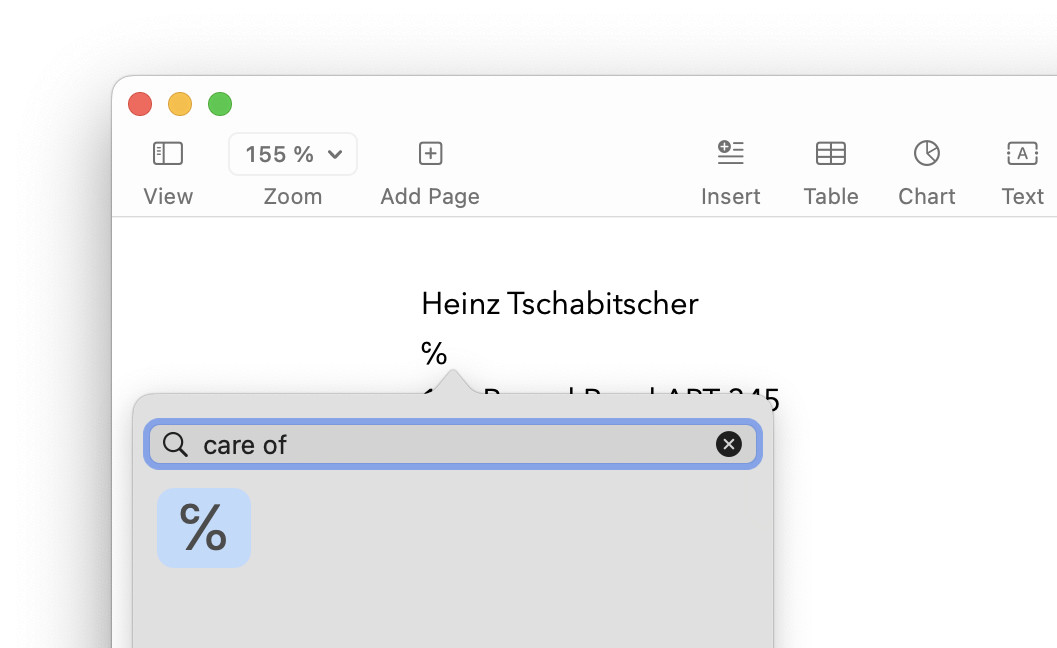
℅ taken care of?
Tips help fuel these email and tech how-tos.
Address Example Using “Care of” ℅
| Eventual recipient | Heinz Tschabitscher |
| Relay recipient | ℅ La De Du |
| Address | 12 Round R APT 34 |
| Anytown, VA 20020 | |
| USA |
Using Text Replacement
To set up and use a macOS text replacement for the ℅ symbol:
- Open Mac System Settings.
- Go to the Keyboard category.
- Click Text Replacements… under Text Input.
- Now click +.
- Type the character sequence you want macOS to replace with ℅.
Example: The typical substitution ofc/ocould work fine. - Insert the symbol
℅under With.
Here’s how: You can use Character Viewer (see above) or copy the symbol for pasting below, for instance. - Click Add.
Their word: Apple include information on text replacements in the Mac User Guide.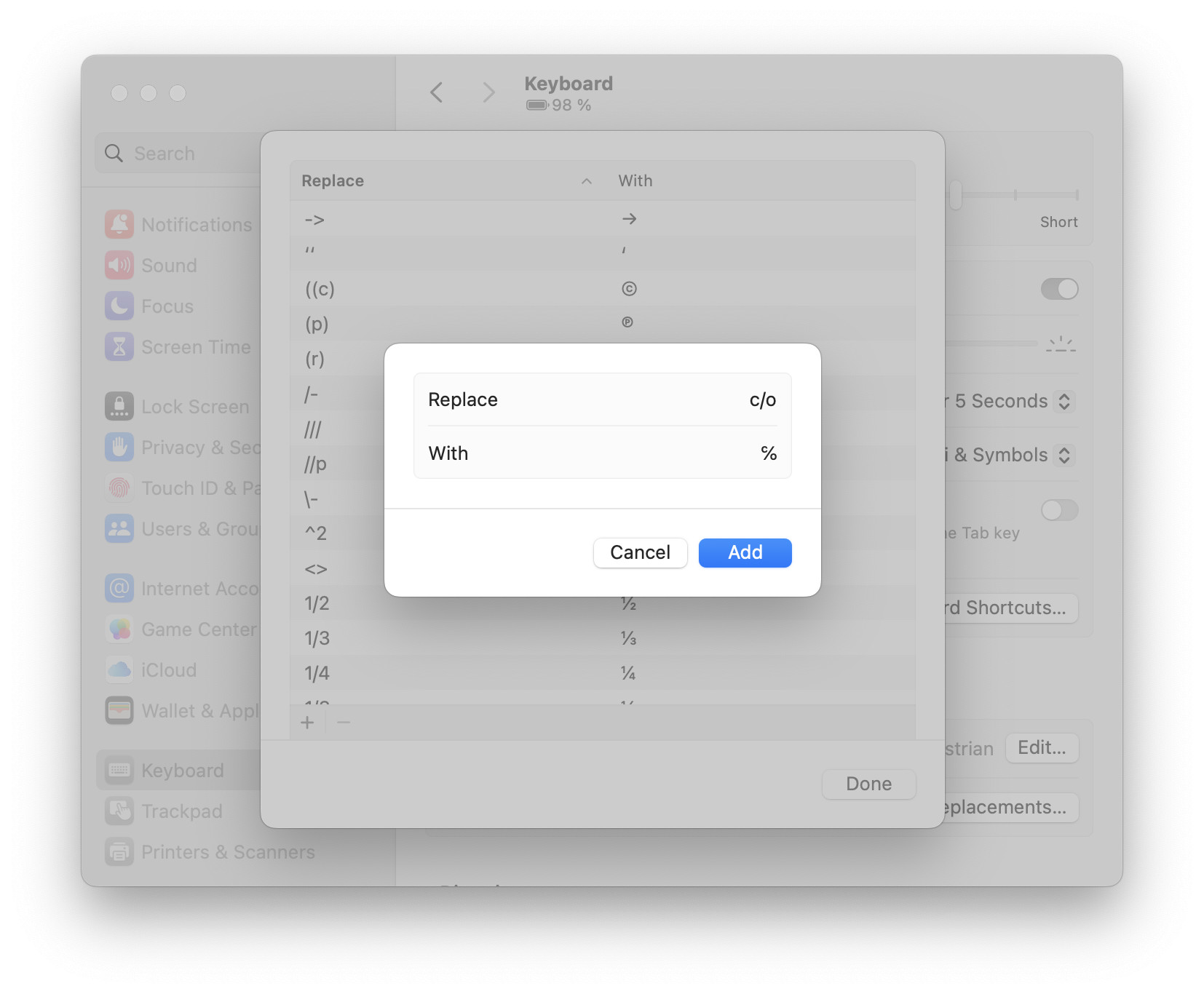
- Now click Done.
To insert the ‘℅’ symbol using the text replacement, type c/o and complete the replacement with whitespace or punctuation.
Copy the ℅ Symbol
You can copy the ℅ symbol for pasting anywhere in macOS using the table below:
Care of ℅ |
How to Insert the “Care of” c/o Symbol ( ℅ ) on a Mac: FAQ
Can I insert ℅ using a keyboard shortcut?
No.
The regular Mac keyboard layouts do not include the ℅ symbol. You can set up a text replacement if you use the symbol frequently, of course.
Can I input the care of symbol using Unicode directly?
Yes.
To insert the ℅ symbol using Unicode input on a Mac:
- Enable and switch to Unicode Hex input.
- Press and hold Option.
- Type
2105for Unicode U+2105. - Release Option.
Can I type “c/o” instead of the ‘℅’ symbol?
Yes.
You can use the abbreviation “c/o” in lieu of the symbol ‘℅’.
(Tested with macOS Tahoe 26 and Sequoia 15; first published October 2024, last updated July 2026)