

Wondering whether that neat Apple Notes trick you found will work with your version, if only you knew what it was? Notes won’t even open, and now you’d like to make sure it’s up to date? Find out here how to check your Apple Notes version on a Mac ⤓, even if you can’t launch the app.
On This Page
How to Check Your Apple Notes Version on a Mac
Time needed: 2 minutes
To find out which version of Apple Notes for Mac you are using:
- Open Apple Notes.
- Select Notes | About Notes from the menu.
No menu bar: If your macOS menu bar is hidden, move the mouse cursor to the top edge of the screen and want for it to appear.
- Find the version number listed under Version.
Long version: Notes also shows the full version, sub-version and build (the CFBundleVersion); see below.
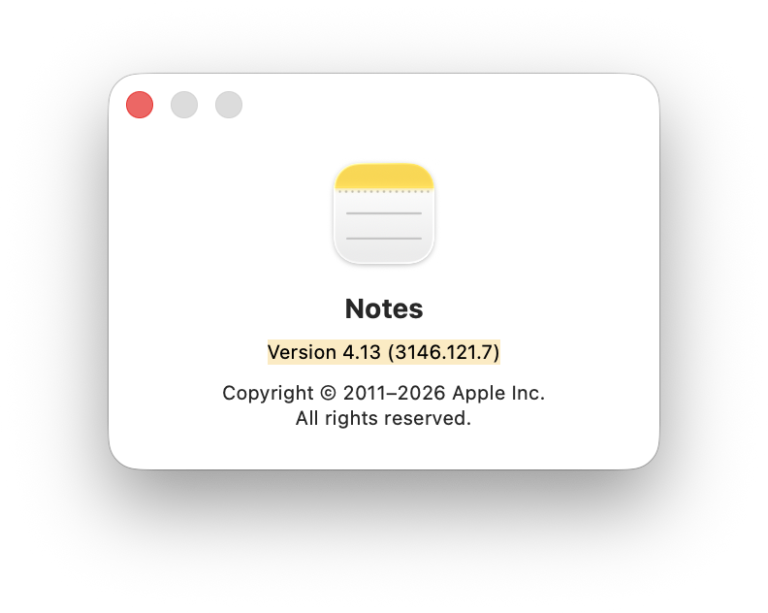
Noted the version and build?
Tips help fuel these email and tech how-tos.
Check the Notes Version from Finder (Without Opening Notes)
To see the version of Apple Notes installed on your Mac in macOS Finder (without opening Notes itself):
- Go to the system’s Applications folder in Mac Finder.
Here’s how: Select Go | Applications from the menu in Finder, for example. - Highlight the Notes app.
- Select File | Get Info from the menu.
Mac keyboard shortcut: You can also press Command I to open the Notes info sheet. - Expand the General section.
- Find the current Apple Notes version under Version.
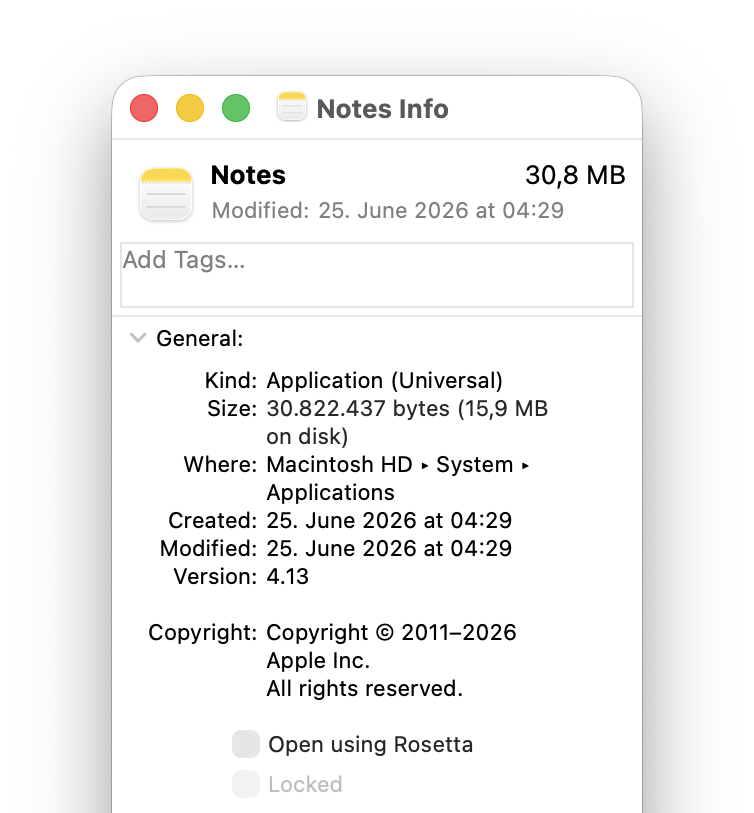
Find the Version, CFBundleVersion and SourceVersion for Apple Notes on Your Mac
To uncover all version information for the Apple Notes build installed on your macOS system:
- Find Notes in Finder; see above.
- Click with the right mouse button on the Notes app.
- Select Show Package Contents from the context menu that has appeared.
- Open the Contents folder.
- Now view the version.plist file.
Here’s how: Select the file and press Space, for instance, to see it in plain text. - Find the version information in the following keys:
CFBundleShortVersionString: the general Apple Notes version number
CFBundleVersion: the full Apple Notes version as used to track all new builds; it follows the format {major version}.{minor version}.{patch}
SourceVersion: the full version as a single concatenated string.
Here’s how: In the<dict>section,<string>elements follow their respective<key>.
Their word: Apple include information on CFBundleVersion in Developer Documentation.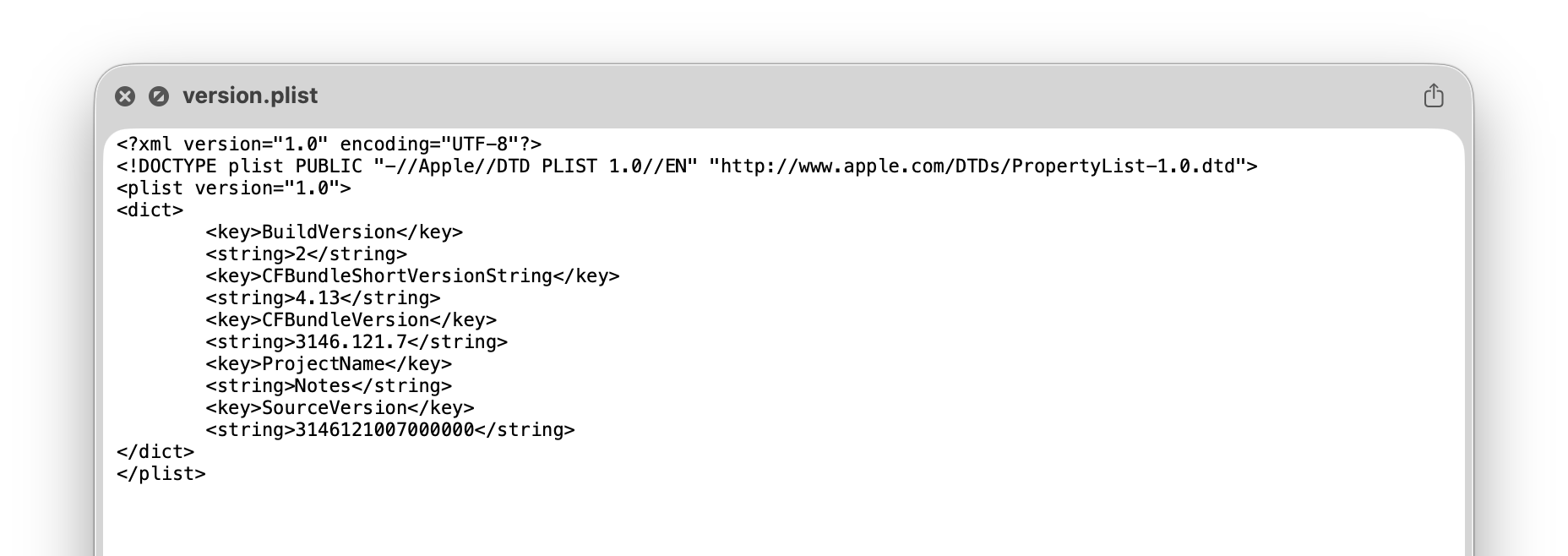
How to Check Your Apple Notes Version on a Mac: FAQ
Does the Apple Notes version number change in sync with the macOS version?
No.
Apple Notes is on its own versioning system. Its mayor version number (anything before the first dot) increases with significant changes to Notes itself. New macOS versions might bump the minor version number, though.
What is the current Apple Notes version?
The current version of Apple Notes in August 2025 is 4.13, the full bundle version is 3146.141.6.
Can I see the Apple Notes versions number by running Notes in Terminal?
No.
The Notes app does not include a command line switch to output the version number.
(Tested with Apple Notes 4 on macOS Tahoe 26; first published August 2026)