

Did Yahoo pick the wrong region at setup, or are you learning a new language (or even settling in a new country) and want daily practice? Looking for Yahoo Mail in French, say, or Thai? Find out here how to change the language on Yahoo Mail ⤓.
On This Page
How to Change the Language on Yahoo Mail
On the Desktop
Time needed: 3 minutes
To change the interface language for Yahoo Mail:
- Click your name (or avatar) in the top Yahoo Mail navigation bar.
- Click Overview under Account on the sheet that has appeared.
“Old” Yahoo Mail: Click Account Info in old Yahoo Mail.
- Open the Personal Info category.
Yahoo Mail shortcut: You can go to your Yahoo account preferences directly; do log in with your Yahoo Mail credentials if you are prompted.
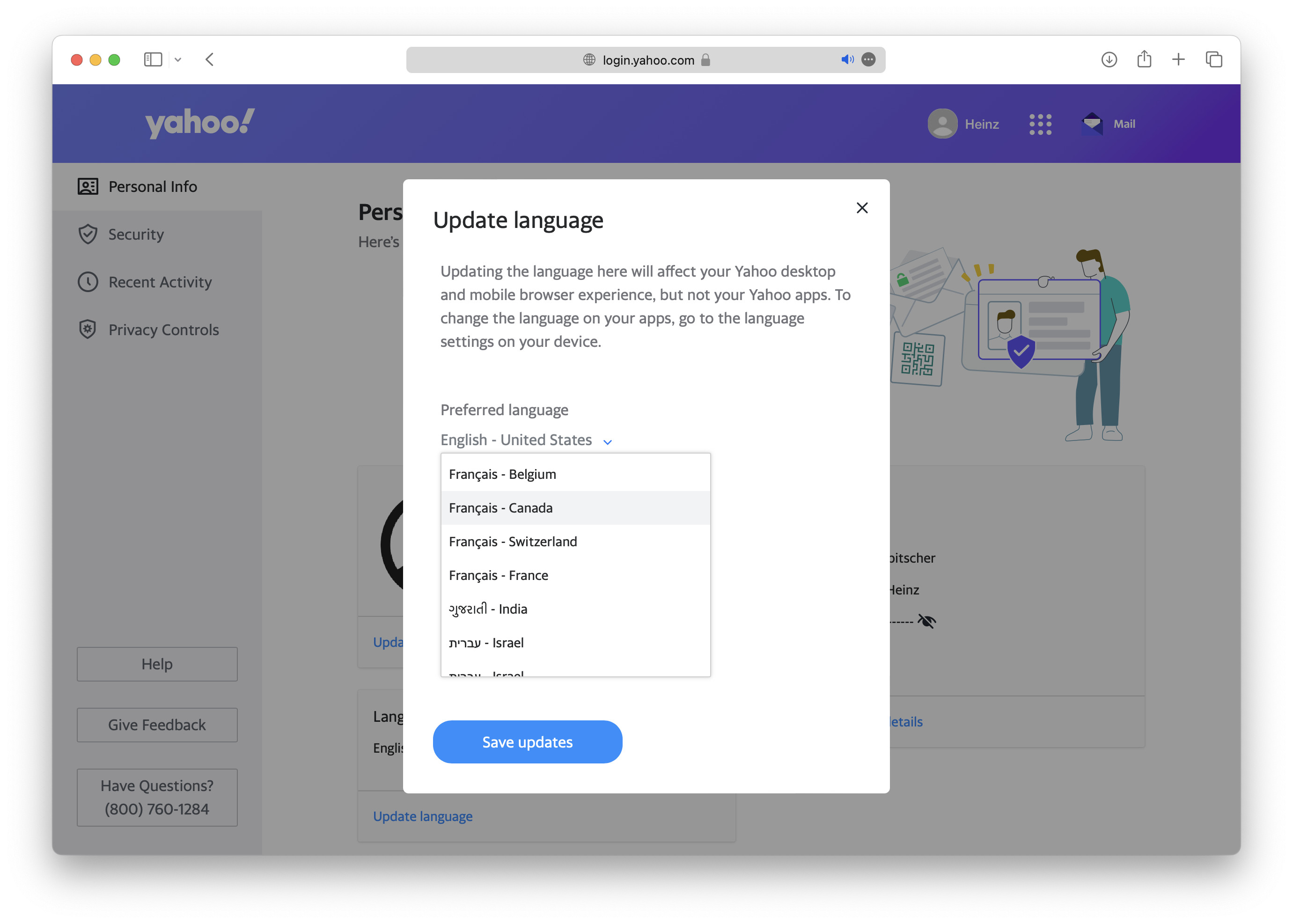
- Select Update language under Language.
- Choose the desired region and language under Preferred language.
French Yahoo Mail: For Yahoo Mail (and Yahoo) in Quebec French, choose Français - Canada, for instance.
- Click Save updates.
Their word: Yahoo include information on changing language and region in their account help.
Now you can return to Yahoo Mail in the new language.
Want to tweak your signature in the new language? How to Change Your Signature in Yahoo Mail
In the Yahoo Mail iPhone App
To change the language for the Yahoo Mail iOS app:
- Open Settings on the iPhone or iPad.
- Now choose Yahoo Mail.
- Pick Language under PREFERRED LANGUAGE.
- Choose the desired language.
- Close the Settings app.
For all apps: You can also change the language for iPhone (and the default language for apps) in general, of course.
Yahoos roaring?
Tips help fuel these email and tech how-tos.
How to Change the Language on Yahoo Mail: FAQ
Will using a different language for Yahoo Mail also apply to other Yahoo services?
Yes.
When you edit the interface language for Yahoo Mail, the new language will be used across Yahoo — e.g., for Yahoo Finance.
(Tested in a desktop browser and the Yahoo Mail iOS app; first published October 2020, last updated June 2026)