

Looking to type in style and use typographic apostrophes (instead of the straight ones so typically found on keyboards) where they are warranted? Find out here how to type a curly typographic apostrophe ( ’ ) on Linux ⤓.
On This Page
How to Type a Typographic (Curly) Apostrophe ( ’ ) on Linux
Using the English Macintosh Keyboard Layout
Time needed: 1 minute
To insert a typographic apostrophe (by way of the single right quotation mark “’”) using the keyboard on a Linux machine:
- Add and switch to the English (Macintosh) keyboard layout on the Linux machine.
Here’s why: The Mac keyboard layout includes a key combination for the typographic apostrophe while the standard US-English keyboard layout does not.
US-International: As an alternative, you can also switch to the US-International keyboard layout. - Position the text cursor where you want to insert the apostrophe character.
Here’s where: When you use the apostrophe to indicate possession, it follows the possessor immediately and is immediately followed by the character ‘s’; if you employ the typographic apostrophe for elision, put it where the omitted characters would be.
Email addresses: In email addresses, only straight apostrophes work.
Example: Here’s the apostrophe’s hist’ry since ’04. - Press Alt Shift ].
US-International: If you use the US-International keyboard layout, press Alt 0 instead.
Other keyboard layouts: See below for finding the key combination for the typographic apostrophe to use with your keyboard layout.
Their word: Gnome include information on switching keyboards layouts in Gnome help.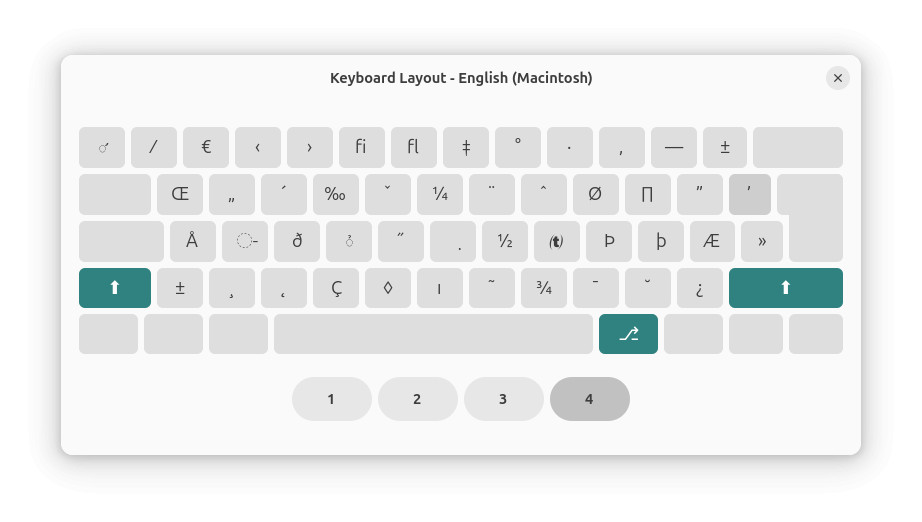
🦘 Done typing? Automate it:
Grab Typography Fixer PRO ($3 one-time)
Instant unlock code delivery • private offline app
Use the “Compose” Key to Insert a Typographic Apostrophe
To make use of the Compose key on Linux to insert a typographic apostrophe (or right single quotation mark):
- Set and enable the “Compose” key.
- Position the text cursor where you want to insert the curly apostrophe.
- Press the key you designated to work as Compose.
- Now press > (larger than) and ' (straight apostrophe) in succession.
Here’s what happens: The combination will be replaced with the typographic apostrophe’.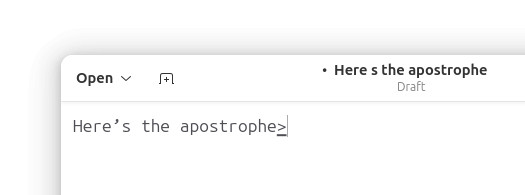
On a Mac? How to Type a Curly Apostrophe ( ’ ) on a Mac Keyboard
On Windows? How to Type a Typographic (Curly) Apostrophe ( ’ ) on Windows (including Alt Code)
Use Direct Unicode Input for the Curly Apostrophe
To input a curly apostrophe using its Unicode code point on Linux:
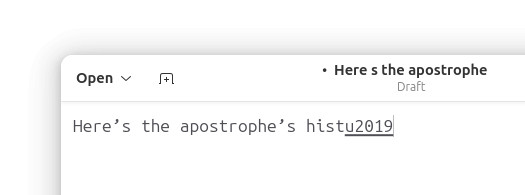
- Press Ctrl Shift U.
Here’s what happens: You will seeu(a ‘u’ for Unicode with an underline). - Type
2019. - Press Enter.
How to Type a Typographic (Curly) Apostrophe on Linux: FAQ
Can I copy the curly apostrophe for pasting?
Yes.
Typographic apostrophe ’ |
🚀 Instant Alternative
No more keyboard acrobatics. Typography Fixer PRO converts ' → ’ with Ctrl+F.
Get Typography Fixer PRO ($3) →Offline PWA • Lifetime access • No ads
(Tested with Gnome 47–50 and KDE Plasma 6; first published March 2025, last updated July 2026)