

Tired of spelling out “degrees” every time? Wondering how to shorten “degrees Celsius” in style? Find out here how to insert the degree symbol ( ° ) on Linux using Gnome and KDE (as well as the symbols for ℃ and ℉).
First, Uranus Is Very Peculiar
Thanks to a tilt in its rotational axis, Earth has seasons that differ quite starkly. For the most part, it behaves like a proper planet, though, spinning like a top on the plane that is made up of its star and the other planets in the system.
One of these planets is unruly Uranus, of course, which shows no respect for that kind of rotational etiquette. Instead, it rolls around on its path and plane, tilted at 97.77 degrees.
Now that we’re at it, could that not be 97.77°? Let’s find out how to type that:
How to Insert the Degree Symbol ( ° ) on Linux
Using the Keyboard (US-English Macintosh Layout)
Time needed: 1 minute
To type the symbol for degrees ( ° ) using the keyboard on a Linux computer:
- Add the US-English (Macintosh) keyboard layout and switch to it for the current application.
Here’s why: Unlike the standard English (US) keyboard layout, the Mac layout includes a shortcut for the degree symbol.
Here’s how: Both Gnome and KDE let you add and change keyboard layouts comfortably. - Place the text cursor where you want to insert the degree sign ( ° ).
Here’s where: For degrees of temperature, for instance, follow the number with a non-breaking space, then the degree symbol, which is followed by the letter to represent the scale.
Example: I think espresso should be prepared at 203 °F, not one degree more or less.
Temperature symbols: As an alternative, you can also use Unicode temperature symbols that combine the degree sign and letter; see below. - Press AltGr 0.
No “AltGr”: If you have no AltGr key (e.g., appropriately using a Mac keyboard), press Option 0.

- Optional: Switch back to the US-English keyboard layout.
Increasing ° of accomplishment?
Tips help fuel these email and tech how-tos.
Using the “Compose” Key
You need not switch keyboard layouts to insert the degree symbol fast, though — no matter the keyboard and layout.
To input the degree symbol on a Linux machine using the Compose key:
- Define a Compose key and enable it for input.
- Put the text cursor where the degree symbol is to appear; see above.
- Press Compose.
- Now type
oo(two times the small letter ‘o’).
Here’s what happens: The two lettersoowill be replaced with the degree sign°.
Speaking of Macintoshes: How to Type the Degree Symbol ( ° ) on a Mac Keyboard
Using a Character Picker
To copy a degree symbol for pasting using a character picker on Linux using KDE or Gnome:
- Launch Gnome Characters or KDE KCharSelect.
- Search for
degree. - Pick and copy the desired degree symbol ‘°’, ‘℃’, or ‘℉’.
Also has a character picker: How to Make the Degree Symbol on Windows
How to Insert the Degree Symbol ( ° ) on Linux: FAQ
Can I insert the degree sign (or degrees Celsius ℃) using Unicode?
Yes.
To enter the degree symbols using Unicode code points on Linux:
- Press Ctrl Shift U.
- Type
00B0for the degree character '°'.
Celsius: Use2103for the degrees Celsius symbol ‘℃’.
Fahrenheit: Write2109for degrees Fahrenheit ‘℉’. - Press Enter.
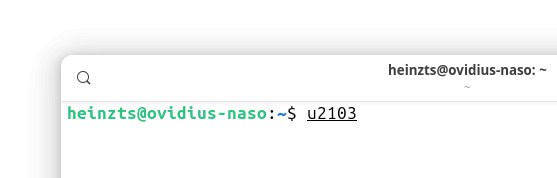
Can I copy the degree symbol for pasting here?
Yes.
Copy the desired degree symbol from the table below.
Degree sign ° | |
Degrees Fahrenheit sign ℉ | |
Degrees centigrade sign ℃ |
A font does not include the symbol for degrees Fahrenheit or Celsius; what can I do?
if a font lacks the symbol for ℉ or ℃, you can do the following:
- Change the font just for the symbol; a typeface from the Noto family might work, for example.
- Combine the degree symbol
°with the lettersCorF.
Example: On a mountain, water will boil at less than 100 °C. - Use the words
degreeanddegreesinstead of other symbol°.
Example: The chocolate is 87 degrees F, you can take it off the stove.
(Tested with Gnome 47–49 and KDE Plasma 6; first published March 2025, last updated January 2026)