

Looking for a ‘©’ key on your Linux machine? Tired of typing out the whole word “Copyright” and wasting precious space with it? Find out here how to quickly insert the copyright symbol ( © ) on Linux ⤓ — with a handy key combination, the uniquely powerful Compose key or a conveniently searchable character picker.
On This Page
How to Input the Copyright Symbol ( © ) on Linux
Using the US-International Keyboard Layout for the Copyright Sign
Time needed: 1 minute
To type the copyright symbol directly using a key combination on Linux:
- Position the text cursor where you want to insert the copyright symbol.
Here’s where: Treat the symbol like the word “copyright” — putting it in front of the year and copyright owner separated by whitespace, if at all possible a non-breaking space character.
- Add and switch to the US-English International keyboard layout.
Here’s why: The regular US-English keyboard layout for Linux does not include a combination for the copyright sign.
- Press AltGr C (or Right Alt C) to type ‘©’.
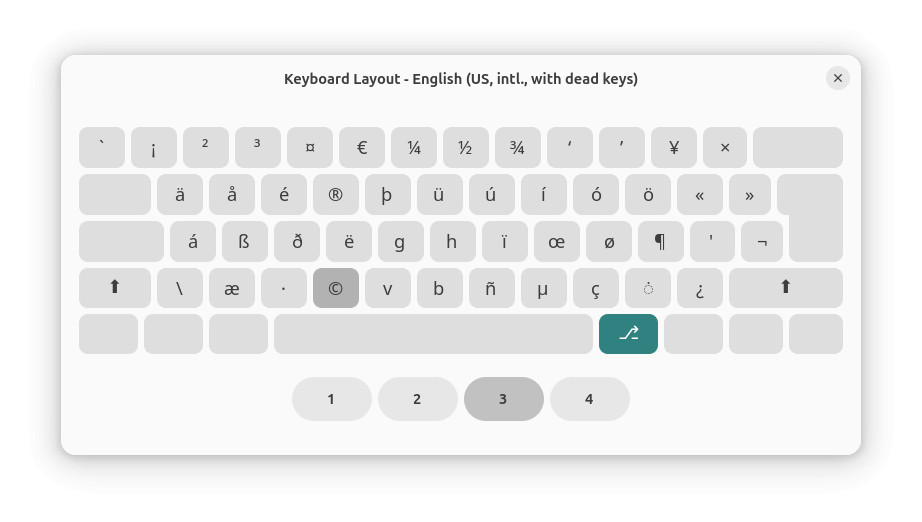
Entering copy…right and left now?
Tips help fuel these email and tech how-tos.
Typing ‘©’ Using the Linux “Compose” Key
To input the copyright symbol in Linux directly using the Compose key:
- Pick and enable a “Compose” key.
- Position the text cursor where you want to insert ‘©’.
- Press Compose.
- Type
oc(the letter O followed by the letter C).
On an iPhone? Enter the Copyright Symbol (©) on the iPhone Keyboard
On Windows? How to Type the Copyright Symbol ( © ) on Windows
Using a Linux Character Picker to Insert the Copyright Sign
To use a character picking application to copy the copyright sign for pasting anywhere on Linux:
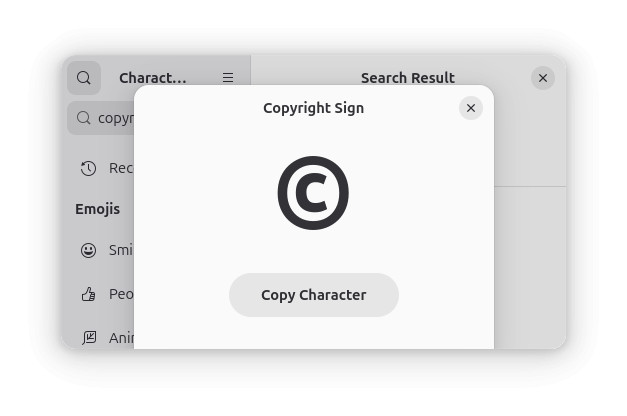
- Open KCharSelect (using KDE) or Characters (for Gnome).
- Search for
copyright signin the app. - Copy the symbol ‘©’.
- Paste it where desired in your documents.
Also has a character picker: How to Make the Copyright Symbol ( © ) on a Mac
How to Input the Copyright Symbol ( © ) on Linux: FAQ
Can I insert the copyright symbol directly using its Unicode code point?
Yes.
To use the Unicode code point corresponding to © to input the character on Linux:
- Press Ctrl Shift U.
- Type
00A9.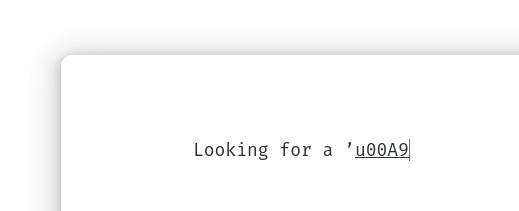
- Press Space or Enter.
Can I copy the copyright symbol here for pasting?
Sure.
You can use the table below to copy the symbol for easy pasting anywhere on Linux:
Copyright symbol © |
(Tested with Gnome 48–50 and KDE Plasma 6.2; first published June 2025, last updated July 2026)