

Need the square root of 2? Got a formula figured out and there’s something squared on one side? Find out here how to compute the square root (and other roots) for a number quickly on a Mac ⤓ (using Spotlight, Calculator or Terminal).
On This Page
How to Compute the Square Root for a Number on a Mac
Using Spotlight
Time needed: 3 minutes
To quickly compute the square root for a number on a Mac using Spotlight.
- Bring up Spotlight on the Mac.
Here’s how: Press Command Space, for instance, to open a Spotlight prompt.
- Type
sqrt({radicand}).Scroot it: Replace {radicand} with the number or expression you want to take the square root of; you can also insert a more complicated expression, of course.
Cube root: You can usecbrt({radicand})for the third root.
Example:sqrt(9)will compute the square root of 9; see below for a more involved example.
Shortcut: The way to take arbitrary roots is also the shortcut to the square root; see below.
it’s also for writing: How to Insert the Square Root Symbol ( √ ) on a Mac
Cube root: You can use cbrt({radicand}) for the third root.
Compute Other Roots with Spotlight
You can also compute other roots than the square root with Spotlight.
To take arbitrary roots most easily on a Mac:
- Bring up Spotlight search.
- Type
<radicand> ^ (1 / <index>).
Radicand: Replace<radicand>with the number whose root you want to take.
Index: Replace<index>with the index of the radical, e.g.,3for a cube root.
Raising:^is, of course, the operator that will raise (e.g. square) a number in Mac Spotlight.
Examples: Type27 ^ (1 / 3)for the cube root of 27 (3), or9 ^ (1 / 2)for the equivalent of the square root of 9 (also 3).
Mac Spotlight Square Root Example
Type sqrt((34.6+4)^3/5) in Spotlight to compute .
Compute a Root Using Mac Calculator
To use macOS Calculator to find the square root (or the nth root) for any number:
- Open Calculator.
Here’s how: You can use Launchpad to open Calculator, for example. - Switch to Scientific mode.
Here’s how: Press Command 2 in Calculator or select View | Scientific from the menu. - Enter the number whose square root you want compute.
Type-or-press: You can either use the on-screen buttons or the keyboard to enter the number. - Click .
Other radices: Press for the cube root and followed by the root’s index for an nth root.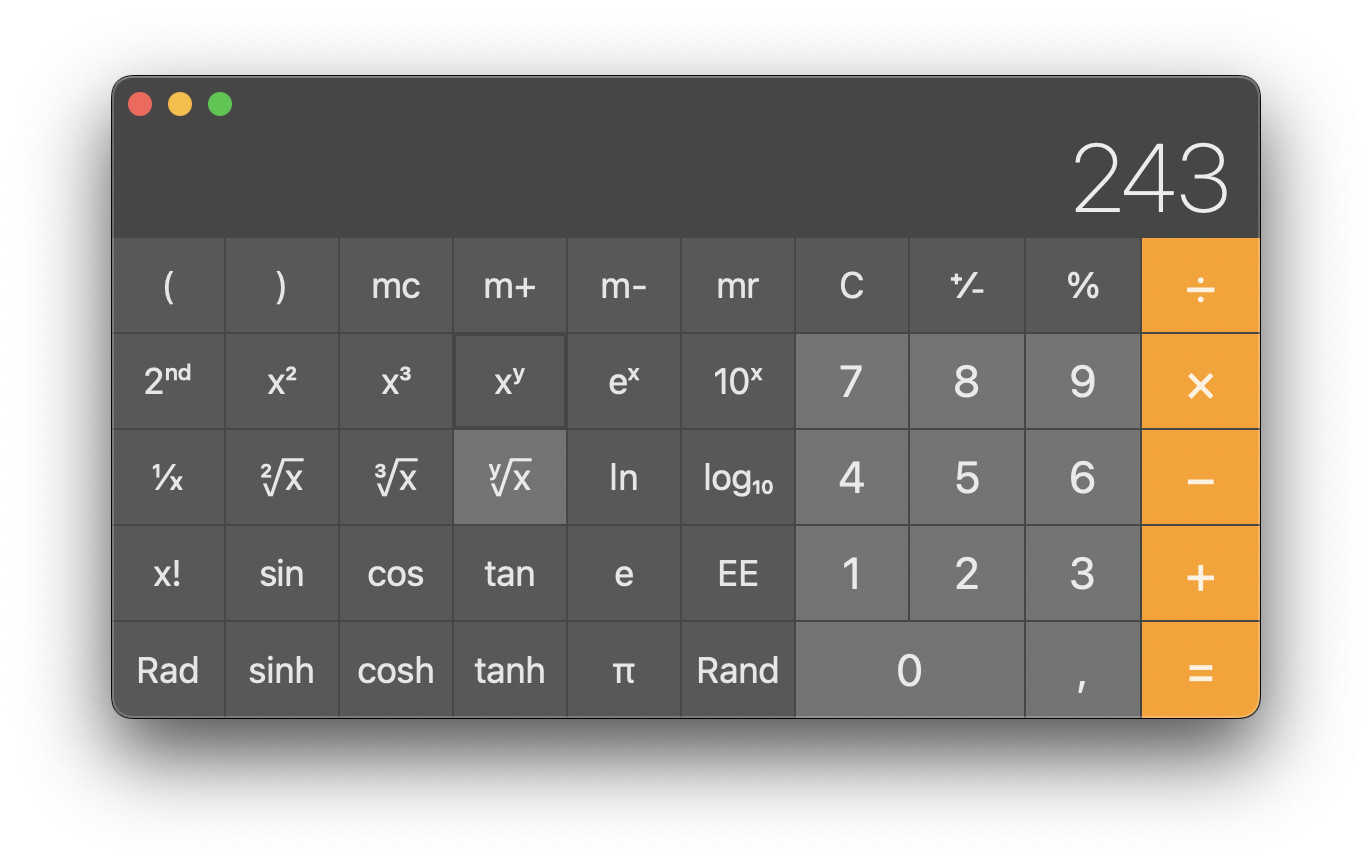
Calculate Square Roots in Mac Terminal
To compute the root for a number fast on a Mac using bc in Terminal:
- Open Terminal on the Mac.
- Type
bc -e "sqrt(<radicand>)"for the square root.
Cube root: Usebc -e "cbrt(<radicand>)"to compute the cube root.
Nth root: You can usebc -le "root(<radicand>, <n>)"to take the nth root of the radicand.
Examples: Usebc -e sqrt(9)to quickly compute the square root of 9 andbc -le "root(243, 5)"to compute the 5th root of 243.
Why “-l”: The-lparameter loads the math library for bc, which includes the root() function for computing arbitrary roots. - Press Enter.

(Tested with macOS Tahoe 26.0–26.5, Sequoia 15.3–15.5 and Sonoma 14.3–14.6; first published April 2024, last updated June 2026)